
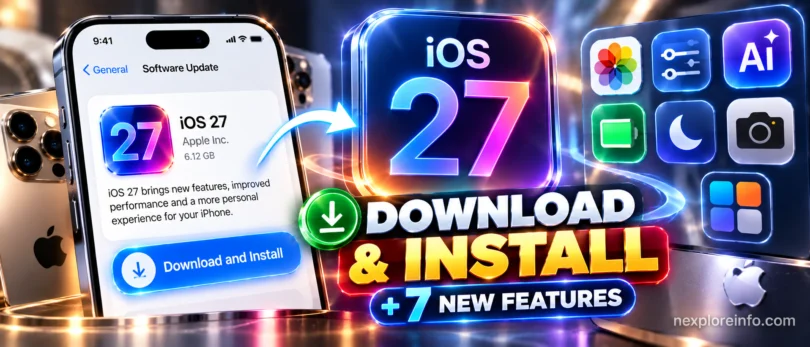
Quick answer: to install iOS 27, back up your iPhone, connect to Wi-Fi and power, then go to Settings > General > Software Update and tap Update Now or Download and Install. iOS 27 works on the iPhone 11 and newer, plus the iPhone SE (2nd generation) and newer. Apple made it available to everyone on September 14, 2026, and the latest bug-fix version is iOS 27.0.1.
This guide shows which iPhones can run iOS 27, how to prepare, three ways to install it, how to fix the most common install problems, and the new features worth trying first. It works for iPhone owners anywhere Apple offers updates.
In this article 9 sections
- Which iPhones Can Run iOS 27?
- Before You Update: 5-Point Checklist
- How to Download and Install iOS 27 (3 Ways)
- iOS 27 Not Showing or Stuck? Quick Fixes
- 7 New iOS 27 Features Worth Trying First
- More iOS 27 Changes You Will Notice
- How to Check Your iOS Version and Install Bug Fixes
- Should You Install iOS 27 Right Now?
- FAQ: iOS 27 Download and Installation
Which iPhones Can Run iOS 27?
Good news: no iPhone that ran iOS 26 was left behind. Every model from the iPhone 11 onward gets iOS 27, but the newest AI features need newer hardware.
| iPhone | iOS 27 | Siri AI and Apple Intelligence | Custom Siri voices |
|---|---|---|---|
| iPhone 18 Pro, 18 Pro Max, iPhone Duo | Yes | Yes | Yes |
| iPhone 17 Pro, 17 Pro Max, iPhone Air | Yes | Yes | Yes |
| iPhone 17, 17e | Yes | Yes | No |
| iPhone 16 family and 16e | Yes | Yes | No |
| iPhone 15 Pro and 15 Pro Max | Yes | Yes | No |
| iPhone 15 and 15 Plus | Yes | No | No |
| iPhone 11, 12, 13 and 14 families | Yes | No | No |
| iPhone SE (2nd and 3rd generation) | Yes | No | No |
Device support from Apple’s About iOS 27 Updates page and Macworld’s iOS 27 guide. Checked October 13, 2026.
Not sure which model you have? Go to Settings > General > About and look at Model Name.
Before You Update: 5-Point Checklist
- Back up your iPhone. Go to Settings, tap your name, then iCloud > iCloud Backup > Back Up Now. You can also back up to a Mac or Windows PC.
- Free up space. Check Settings > General > iPhone Storage. Leave several gigabytes free, since the update needs room to unpack.
- Charge to at least 50% or keep the phone plugged in during the update.
- Use stable Wi-Fi. A weak signal is the most common reason installs stall.
- Know your passcode and Apple Account password. You will need them after the restart.
How to Download and Install iOS 27 (3 Ways)
Method 1: Install over Wi-Fi in Settings (easiest)
- Open Settings and tap General.
- Tap Software Update. Your iPhone checks for updates automatically.
- If you see an older iOS 26 update listed first, scroll down and choose the iOS 27 option under Also Available.
- Tap Update Now or Download and Install, then enter your passcode.
- Agree to the terms, wait for the download, and let the iPhone restart on its own.
On a good connection, the whole process usually takes 15 to 30 minutes. Do not use the phone or unplug it while the Apple logo and progress bar are on screen.
Method 2: Install with a Mac or Windows PC
- Connect your iPhone to the computer with a USB-C or Lightning cable.
- On a Mac, open Finder and select your iPhone in the sidebar. On Windows, open the Apple Devices app.
- Click Check for Update, then Download and Update.
- Keep the cable connected until the iPhone restarts.
This method is useful when your iPhone is low on storage, because the computer downloads the update first.
Method 3: Turn on automatic updates
Go to Settings > General > Software Update > Automatic Updates and switch on iOS Updates. Your iPhone will then install iOS 27 and future bug fixes overnight while it charges on Wi-Fi.
iOS 27 Not Showing or Stuck? Quick Fixes
- iOS 27 is not showing: confirm your model is on the list above, turn off any VPN, and check that Beta Updates is set to Off under Software Update. Then restart the phone and check again.
- “Unable to Check for Update”: switch to a different Wi-Fi network or restart your router, then try again.
- Stuck on “Preparing Update”: give it 30 minutes. If nothing moves, delete the downloaded update in Settings > General > iPhone Storage and download it again.
- Not enough storage: offload unused apps in iPhone Storage, or update through a computer using Method 2.
- Phone feels warm or battery drains in the first day: this is normal while iOS 27 re-indexes your photos and files. It usually settles within 24 to 48 hours.
If your Wi-Fi is the problem, our guide on how to fix slow Wi-Fi at home can help before you try again.
7 New iOS 27 Features Worth Trying First
1. Siri AI and the new Siri app
Siri now handles natural follow-up questions, understands what is on your screen, and can use personal context from Messages, Mail, Photos and Notes when you ask. It also has its own app, where your conversation history syncs privately through iCloud. Siri AI is labeled beta, launched in English first, and has daily usage limits. It is not available in the European Union or China at launch.
2. iPhone Handoff for two iPhones on one number
iPhone Handoff lets you switch between two iPhones that share the same phone number. It needs carrier support. In the USA, T-Mobile was among the first carriers and charges $5 | AED 18 a month, according to iOS 27 launch coverage. Check with your UAE carrier before counting on it.
3. Split a bill with your camera (USA)
In the USA, open the Camera in Siri mode, point it at a receipt, select what you ordered, and iOS 27 works out your share, including tax and tip. You can then pay through Apple Cash in Wallet or Messages.
4. Custom-length location sharing in Find My
You can now share your location for an exact period, such as four days and six hours, or until a set date and time. You can also pause sharing with certain people until the end of the day. Learn more in our guide on how to pause your location on Find My iPhone.
5. Reframe and Extend in Photos
On Apple Intelligence iPhones, Reframe adjusts a photo’s composition and perspective after you take it, and Extend fills in new image content beyond the edges when you straighten a horizon. Clean Up also gains Fast and High Quality modes.
6. Smarter Safari
Safari can group open tabs into topics, and a new Notify Me option watches a web page and alerts you when it changes, such as a price drop or a restock. Handy if you are tracking phone deals on our Price Hub.
7. Stronger parental controls
Ask to Browse lets children request access to websites, and parents approve requests in Messages. Time Allowances set limits for categories like Games and Social Media, and Communication Safety now also covers gore and violent content.
More iOS 27 Changes You Will Notice
Beyond the headline features, iOS 27 brings smaller changes that affect everyday use on every supported iPhone:
- Liquid Glass gets a slider. Apple refined the glass design introduced in iOS 26 for better readability and contrast, and added a control that lets you adjust the look from clear to fully tinted.
- Faster apps and sharing. Apple says apps can launch up to 30% faster and AirDrop transfers can be up to 80% quicker.
- Save a video frame as a photo. In Photos, you can pull a single frame out of a video and save it as a full-resolution image.
- Redesigned Screen Time. A new at-a-glance view shows how time is spent, along with app Schedules by time or day.
- Better search. Apple improved system search, so finding settings, files and messages takes fewer taps.
How to Check Your iOS Version and Install Bug Fixes
To see which version you are running, go to Settings > General > About and look at iOS Version. If it says 27.0, install iOS 27.0.1 from Software Update as soon as you can. Apple’s update fixed iPhones restarting after failed Face ID attempts, a touchscreen freeze, and a camera color issue on the iPhone 18 Pro and Pro Max.
Apple is already testing iOS 27.2 with developers. Point updates like this usually bring more Apple Intelligence languages, extra features and security fixes, so keeping automatic updates on is the simplest way to stay current without checking manually.
Should You Install iOS 27 Right Now?
For most people, yes. iOS 27.0.1 has already fixed early bugs, including a touchscreen freeze and restarts after failed Face ID attempts. Apple also says apps can launch up to 30% faster. If your iPhone supports Apple Intelligence, you get the biggest upgrade. Older iPhones still gain the Safari, Find My, Photos and parental control improvements.
Wait a few days only if you rely on a work app that has not yet confirmed iOS 27 support. If you are thinking about a new phone instead, compare current models in our iPhone 17 Pro Max price guide and the iPhone 18 Pro guide, which ships with iOS 27 installed.
FAQ: iOS 27 Download and Installation
When did iOS 27 come out?
Apple made iOS 27 available to the public on September 14, 2026, after introducing it at WWDC on June 8, 2026. iOS 27.0.1 followed on September 28.
Is my iPhone compatible with iOS 27?
Yes, if you have an iPhone 11 or newer, or an iPhone SE (2nd generation) or newer. No iPhone that supported iOS 26 was dropped.
Which iPhones get Siri AI in iOS 27?
Siri AI and Apple Intelligence need an iPhone 15 Pro, iPhone 15 Pro Max, or any iPhone 16 model or newer.
How long does the iOS 27 update take?
Usually 15 to 30 minutes on good Wi-Fi, including the download and the restart. A slow connection can make it take longer.
Is Siri AI available in the UAE?
Siri AI launched in English, and Apple says some features vary by region. It is not available in the EU or China at launch. Check Apple’s feature availability page for the latest list of supported countries and languages.
Why does my iPhone say “Optimizing Search and Siri” after updating?
Your iPhone is re-indexing your content so search and Siri work properly. It usually finishes on its own within a few hours, faster if the phone stays on charge and Wi-Fi.
Will updating to iOS 27 delete my photos or apps?
No. A normal software update keeps your photos, messages, apps and settings. Still, back up first, because a backup is the only way to recover data if something goes wrong during the install.
Can I go back to iOS 26?
Only for a short time after a new version arrives, while Apple still signs the older version, and you would need to restore your iPhone using a computer. Most people should stay on iOS 27 and install bug-fix updates.
Image credits: Photo: Farragutful, Wikimedia Commons, CC BY-SA 4.0. • Photo: Ahmad Ali Karim / Wikimedia Commons, CC0 • Photo: 茅野ふたば, Wikimedia Commons, CC BY-SA 4.0.





Leave a Comment