
The October 2026 cumulative update, KB5127648, moves Windows 11 26H2 PCs to OS Build 26300.9711 and addresses reported issues discussed below. The known-issues section now reflects Microsoft’s latest release-health notes.
Windows 11 version 26H2, the Windows 11 2026 Update, reached general availability on September 29, 2026. Microsoft is rolling it out gradually to eligible Windows 11 24H2 and 25H2 PCs. If 26H2 is not showing yet, the safest approach is to use Windows Update, turn on early delivery of the latest updates, confirm that the required cumulative update is installed, and check whether Microsoft has placed a safeguard hold on your device.
This guide shows you how to download and install Windows 11 26H2, what to do if the update is not showing, and how the enablement package works.
Windows 11 26H2 Download: How to Get It Right Now
Open Settings > Windows Update, turn on Get the latest updates as soon as they’re available, then select Check for updates. If Microsoft considers your device ready, Windows 11 26H2 will appear as a feature update and can install with a small enablement package and a single restart. You do not need the Windows Insider Program now that 26H2 is generally available. If the update is not offered, do not force it immediately, because Microsoft may still be phasing the rollout or applying a compatibility safeguard.
Windows 11 Upgrade Checklist: Before You Start
- A PC currently running Windows 11, version 24H2 or 25H2, with a genuine license
- A Microsoft account is not required for the normal Windows Update installation. It is only relevant if you separately choose to join the Windows Insider Program.
- A stable internet connection
- Enough time for the download and one restart. The enablement package itself is designed to install quickly, but total time varies by PC and internet speed.
- A recent backup of important files, since any major update carries more risk than a regular monthly update
- Several gigabytes of free storage. Microsoft does not publish one universal free-space figure for every 26H2 upgrade path, so keep comfortable headroom before starting.
Windows 11 26H2 Release Date
The Windows 11 26H2 release date was September 29, 2026, when Microsoft declared general availability after testing it in the Insider Release (formerly Release Preview) channel. Microsoft is offering it in phases over several months, starting with eligible 24H2 and 25H2 PCs that have Get the latest updates as soon as they’re available turned on. The first general-availability build was OS Build 26300.9550, and the October 13, 2026 update KB5127648 brings 26H2 to OS Build 26300.9711.
What is Windows 11 version 26H2?
Windows 11 26H2 is Microsoft’s 2026 feature update. Microsoft says Windows 11 versions 24H2, 25H2 and 26H2 share a common core operating system and identical system files. The 26H2 features are already present but dormant on fully updated 24H2/25H2 systems and are activated by a small enablement package. Microsoft moved 26H2 through Insider Release before general availability on September 29, 2026.
According to early coverage of the update, the headline changes include:
- Ask Copilot in search, an AI-assisted option built into the taskbar search box, on both Copilot+ PCs and regular Windows 11 PCs
- A more flexible taskbar, you can reposition it and resize icons from Settings > Personalization > Taskbar
- A redesigned Start menu, with adjustable sizing and separate toggles for the Pinned, Recommended, and All apps sections
- A search option that skips web results, under Settings > Privacy & security > Search, so Windows Search only shows results from your PC
- Longer Windows Update pauses, you can now delay updates for up to 35 days at a time from Settings > Windows Update
- Administrator Protection, a new security layer that replaces some of the classic User Account Control prompts, managed from the Windows Security app
- A modernized Run dialog, with an option to switch back to the classic look in Settings > System > Advanced
Because these features are rolled out gradually through Microsoft’s controlled feature rollout system, you may install 26H2 and not see every item on this list immediately. That’s normal, not a sign anything went wrong.
How to Download and Install Windows 11 26H2
1. Check Your Windows Version With Winver
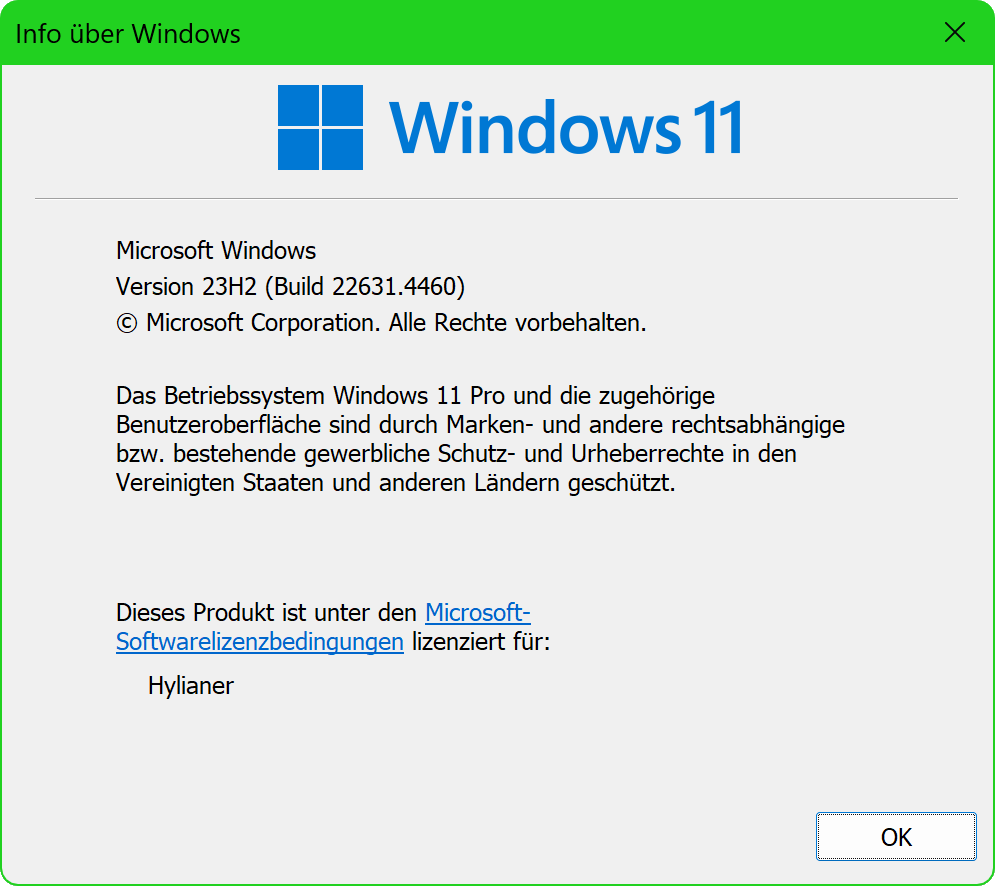
Press Windows + R, type winver, and press Enter to check whether you have Windows 11 version 24H2, 25H2 or 26H2. You can also open Settings > System > About and check Windows specifications. The enablement-package route applies to Windows 11 version 24H2 or 25H2. If you are on an older release, install the current supported Windows updates first.
2. Install the latest cumulative update
Microsoft lists the September 22, 2026 optional update KB5124010 (see our KB5124010 guide) or a later cumulative update as a prerequisite for the 26H2 enablement package. Open Settings > Windows Update and install any pending quality updates before checking for 26H2.
3. Turn on early update delivery
In Settings > Windows Update, enable Get the latest updates as soon as they’re available. Microsoft says 26H2 is first offered to eligible 24H2 and 25H2 devices with this toggle enabled, with availability expanding over time.
4. Check for Windows 11 26H2
Select Check for updates. If your device is ready, you should see Windows 11, version 26H2. Select Download & install.
5. Restart when prompted
The feature update uses servicing technology similar to monthly updates. On eligible 24H2 and 25H2 PCs, the enablement package activates the already-present 26H2 features and requires a restart.
6. Confirm that 26H2 installed
After restart, go to Settings > System > About. Under Windows specifications, confirm that the version now reads 26H2. Microsoft lists the initial general-availability build as OS Build 26300.9550. If you have installed the October 13, 2026 cumulative update KB5127648, the build reads 26300.9711.
Windows 11 26H2 Not Showing? Upgrade and Install Troubleshooting
26H2 is generally available, but Microsoft is still using a phased rollout. If it does not appear in Windows Update, these are the most common reasons:
- Phased rollout: Microsoft is expanding 26H2 availability over several months rather than offering it to every eligible PC on the same day.
- Enterprise or managed device policies: on work and school PCs, IT administrators control when feature updates like 26H2 are offered, so the update may be held back on purpose.
- Safeguard hold: Microsoft may temporarily block 26H2 on hardware, drivers or applications with a known compatibility problem. If a safeguard applies, waiting for Microsoft or the device vendor to resolve it is safer than forcing the upgrade.
Windows 11 26H2 Known Issues (October 2026)
Microsoft’s release-health dashboard, last updated October 17, 2026, lists no safeguard holds for 26H2 but tracks these issues. Most only affect specific setups, but they are a good reason not to force the upgrade.
Still open:
- USB Audio Class 1.0 problems: some affected devices may fail to start, show Code 10 in Device Manager or produce no sound. Microsoft says a fix is planned for a future update.
- Remote Desktop with Administrator protection: since KB5124010, non-admin users may be unable to connect by Remote Desktop to PCs that use the new Administrator protection feature (error 0xC000000D). The temporary workaround is for IT admins to turn Administrator protection off until Microsoft ships a fix.
Fixed:
- AC-3 audio app crashes: some older apps and games that rely on Windows for Dolby Digital (AC-3) decoding closed suddenly after KB5124010, as Windows Latest reported. Microsoft marked it resolved in KB5127648 on October 13, 2026.
- Black screen or desktop loading problems: seen mainly in Azure Virtual Desktop environments, resolved in KB5127648.
- Domain trust issues with Credential Guard: resolved in KB5124010 on September 22, 2026.
If you are still seeing audio crashes, install KB5127648 from Settings > Windows Update; BleepingComputer has a summary of what the October update changes. For the latest status, check Microsoft’s official Windows 11 26H2 release-health page before forcing an upgrade.
Troubleshooting common issues
Update stuck downloading or installing: Restart your PC and run Check for updates again. If it’s still stuck after two attempts, run the built-in Windows Update Troubleshooter from Settings > System > Troubleshoot > Other troubleshooters.
No sound after installing: Some testers have reported audio dropping out after installing recent Windows 11 updates. If this happens, open Settings > System > Sound, confirm the correct output device is selected, and update your audio driver from Device Manager. If that doesn’t fix it, roll back the update (see below).
Windows 11 26H2 update still not showing after a few weeks: Confirm you are on 24H2 or 25H2 with the latest cumulative update installed, check that Get the latest updates as soon as they’re available is on, and look for a pending restart. If nothing appears, your PC may simply not be in the current rollout wave yet. If your printer or other devices act up after updating, our printer offline fix guide covers the most common Windows 11 fixes.
How to undo it if you change your mind
Within 10 days of installing 26H2, you can go to Settings > System > Recovery and select Go back next to “Previous version of Windows.” This reverts you to your prior build without erasing personal files. After 10 days, Windows removes the files needed for that quick rollback, and a clean install becomes the only way back.
If you would rather wait before installing 26H2, you can pause updates for up to 35 days at a time from Settings > Windows Update.
Windows 11 26H2 vs 25H2 and 24H2: Which Version Should You Install?
Microsoft says Windows 11 versions 24H2, 25H2 and 26H2 share a servicing foundation, so eligible existing Windows 11 PCs can receive the 26H2 feature update through a small enablement package. Version 26H2 began general availability on September 29, 2026. For Windows 11 Home and Pro, Microsoft’s published support dates place 24H2’s end of updates in October 2026, 25H2’s in October 2027 and 26H2’s in October 2028. Check Microsoft’s Windows 11 release information for your edition and exact support date.
Windows 11 ISO Download vs Windows Update or Installation Assistant
If you search for a Windows 11 ISO, Windows 11 ISO download 64 bit or the Windows 11 Installation Assistant, use Microsoft’s official Windows 11 download page, not an unofficial mirror. For an eligible 24H2 or 25H2 PC, Windows Update is normally simpler because it checks rollout eligibility and safeguard holds. ISO media and the Installation Assistant serve other installation or recovery scenarios; verify the offered version and back up your files before proceeding. A clean installation can erase files and applications.
Frequently asked questions
What is Windows 11 version 26H2?
It’s Microsoft’s 2026 annual feature update for Windows 11, released to the public on September 29, 2026 and rolling out gradually to all eligible PCs.
When does Windows 11 26H2 come out for everyone?
Windows 11 26H2 reached general availability on September 29, 2026. Microsoft is rolling it out gradually, so it may not appear on every eligible PC immediately.
Is Windows 11 26H2 safe to install now?
For most PCs, yes. 26H2 is a generally available release and Microsoft lists no safeguard holds as of October 17, 2026. Back up first, install the latest cumulative update, and wait if you rely on USB Audio Class 1.0 devices or Remote Desktop with Administrator protection, which still have open issues.
What is the latest Windows 11 26H2 build?
After the October 13, 2026 cumulative update KB5127648, Windows 11 26H2 is on OS Build 26300.9711. The original general-availability build was 26300.9550.
Is there a Windows 11 26H2 download link or offline installer?
Windows Update is the recommended way to get 26H2, because it checks for safeguard holds first. Microsoft also publishes standalone packages for monthly cumulative updates such as KB5127648, and the 26H2 enablement package has been reported as KB5121794. Only download packages from Microsoft’s own servers.
Do I need the Windows Insider Program to get 26H2?
No. Since September 29, 2026, Windows 11 26H2 is offered through regular Windows Update. You only need the Insider Program if you want to test future builds.
Does Windows 11 26H2 need new hardware?
No. If your PC already meets Windows 11’s system requirements and runs 24H2 or 25H2, it can install 26H2 through the same small enablement package used for 25H2.
Final advice
For most people, the best way to install Windows 11 26H2 is to let Windows Update offer it normally. Turn on early update delivery if you want it sooner, keep Windows 11 24H2 or 25H2 fully updated, and do not bypass a compatibility safeguard just to get the version number faster. Microsoft says the rollout will expand over the next few months, so an eligible PC that does not see 26H2 today may receive it later without any manual intervention.
Related reading: our iOS 27 installation guide if you’re on an iPhone instead, and our MacBook Neo buying guide if you’re weighing Windows against Mac.












Leave a Comment