

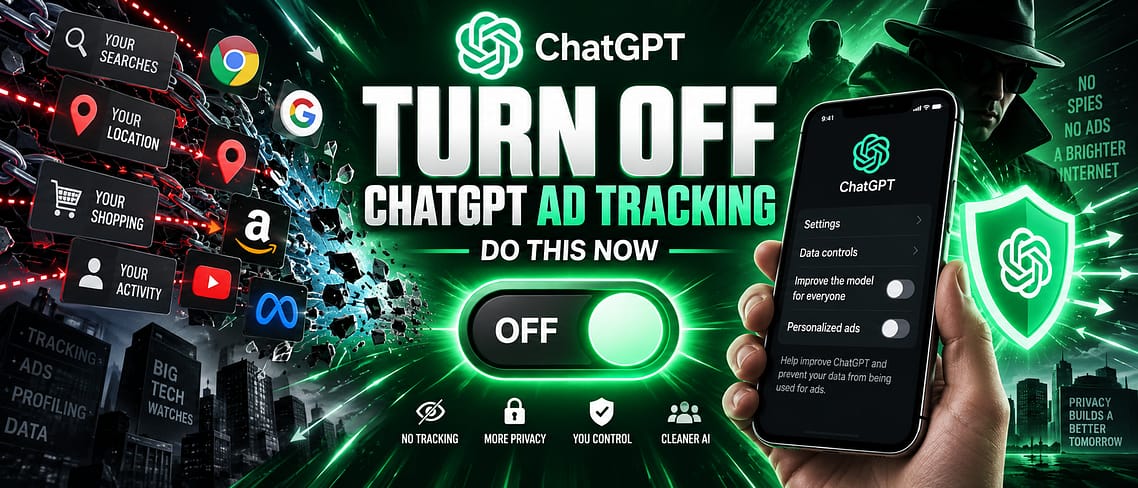
ChatGPT now shows ads to signed-in Free and Go plan users, and a September 2026 security report found that the ad system’s tracking cookie can follow your ChatGPT account onto other websites, not just inside the chat window. If that sounds like more than you signed up for, you can turn most of it off in a couple of minutes. This guide walks through exactly where OpenAI’s ad controls live today, what each toggle actually does, and what to do if you’d rather avoid the ad system completely.
Quick Answer
Open ChatGPT, go to Settings > Ad Controls (or visit chatgpt.com/#settings/Advertising directly on the web), and turn off Personalize ads. From the same screen you can clear your stored ad data and stop past chats from informing which ads you see. If you’d rather not deal with ads at all, upgrading to ChatGPT Plus, Pro, Business, Enterprise, or Edu removes ads from ChatGPT entirely.
What’s actually happening
On September 20, 2026, the research group Buchodi’s Threat Intel published findings that OpenAI’s ad measurement pixel, the code advertisers add to their own websites to track how well ChatGPT ads perform, sets a cookie tied to a signed-in ChatGPT account. According to the report, that cookie can be sent back to OpenAI when the same person later visits any site running the pixel, even without clicking an ad first. NexPloreInfo covered the full report here.
OpenAI’s own developer documentation describes similarly purposed cookies (named differently from the researchers’ label) and confirms that ad measurement “initializes with consent set to true by default,” meaning tracking starts on unless a site or the user turns it off. OpenAI has said advertisers never see your chat history, your name, or your exact location, and that health, mental health, and political topics are excluded from ad targeting. Still, the settings below are the fastest way to see what’s turned on for your account and switch it off.
Before You Start
- A ChatGPT account (Free or Go plan — Plus, Pro, Business, Enterprise, and Edu accounts don’t see ads at all)
- The latest version of the ChatGPT app if you’re on mobile, since ad controls are still rolling out across platforms
- About 2 minutes
How to turn off ChatGPT ad tracking
1. Open ChatGPT settings
On the web, click your name or profile icon in the bottom-left corner and choose Settings. In the mobile app, tap your profile icon, then Settings.
2. Go to Ad Controls
Select Ad Controls from the settings menu. If you don’t see it yet, look under Data Controls instead — OpenAI is still rolling the dedicated Ad Controls panel out to every account and platform. On the web, you can also jump straight there at chatgpt.com/#settings/Advertising.
3. Turn off “Personalize ads”
Switch off the Personalize ads toggle. This stops ChatGPT from using signals from your broader account activity to choose which ads you see. You’ll still see ads on Free and Go plans, but they’ll be less targeted to you specifically.
4. Turn off “Past chats and memory” for ads
If it’s listed separately, turn off the toggle that lets your past chats and saved memories inform ad selection. This keeps ad personalization from pulling in anything from your actual conversations.
5. Clear your stored ad data
Look for Delete ads data or View History and Topics, then choose to delete what’s there. OpenAI notes this can take up to 30 days to fully clear from its systems, so don’t expect it to disappear instantly.
6. Review individual ads as they appear
When you do see an ad, tap the three-dot menu next to it. From there you can Hide ad to stop seeing that one again, Report ad if it looks misleading or unsafe, or choose About this ad to see why it was shown to you.
What if you’re on Android and don’t see these options?
OpenAI’s ad controls launched first on web and iOS. If your Android app doesn’t show an Ad Controls or Data Controls menu yet, update the app from the Play Store and check again. This is a rollout gap, not something broken on your end.
The nuclear option: remove ads completely
Turning off personalization limits what ChatGPT knows about you, but Free and Go accounts will still see ads. If you’d rather not have ads in ChatGPT at all, upgrading to Plus, Pro, Business, Enterprise, or Edu removes them entirely, according to OpenAI’s own documentation. That’s a bigger step (and cost) than most people need just to manage tracking, but it’s the only way to be certain no ad-related cookie gets set in the first place.
Extra step: block the tracking cookie in your browser
Turning off ad personalization inside ChatGPT stops OpenAI from using your data to target ads, but it doesn’t necessarily stop every browser cookie tied to the ad pixel. For an extra layer of protection on desktop:
- In Chrome, go to Settings > Privacy and security > Third-party cookies and block third-party cookies, which stops most cross-site ad-measurement cookies from working at all.
- In Safari, Settings > Safari > Advanced > Prevent Cross-Site Tracking is on by default and blocks this kind of tracking automatically.
- In Firefox, Settings > Privacy & Security > Enhanced Tracking Protection set to Strict blocks cross-site tracking cookies without breaking most sites.
None of these settings are specific to ChatGPT. They simply stop the kind of cross-site cookie the September report describes, from any advertiser, not just OpenAI’s.
Tips
- Recheck Ad Controls after any major ChatGPT app update. Settings panels like this one are still being finalized and sometimes reset or move.
- If you use ChatGPT for anything sensitive — health questions, job searching, financial planning — do it while signed out or in a temporary chat if you want to minimize any link back to your account.
- Bookmark chatgpt.com/#settings/Advertising on desktop so you can jump straight to ad settings without hunting through menus.
FAQs
Does ChatGPT show ads to everyone?
No. Ads currently appear only for signed-in Free and Go plan users who are over 18. Plus, Pro, Business, Enterprise, and Edu accounts don’t see ads.
What is the ChatGPT ad tracking cookie researchers found?
Security researchers at Buchodi’s Threat Intel reported that OpenAI’s ad measurement pixel sets a cookie carrying a signed, account-linked token that can be sent back to OpenAI when you visit other sites running the same pixel. OpenAI’s own documentation describes similarly purposed cookies under different names.
Is ChatGPT selling my chat history to advertisers?
No, according to OpenAI’s documentation, advertisers only receive aggregate performance data such as clicks and views, not your chat history, memories, or personal details. The tracking concern is about the cookie’s reach across websites, not chat content being sold.
Will turning off ad personalization stop ads completely?
No. It stops ChatGPT from using your account activity to target ads, but Free and Go accounts will still see non-personalized ads. Upgrading your plan is the only way to remove ads entirely.
Do Claude or Gemini track me with ads like ChatGPT does?
No. Anthropic’s Claude doesn’t run ads on any plan. Google’s Gemini app doesn’t currently show standalone ads either, though Gemini answers inside Google Search can appear next to regular Search ads.
How long does it take to delete my ChatGPT ads data?
OpenAI says clearing stored ad data through Ad Controls can take up to 30 days to fully process across its systems.
Final advice
The fastest fix here takes under two minutes: turn off ad personalization, clear your stored ad data, and move on. If cross-site tracking bothers you more broadly, pair that with your browser’s built-in cross-site tracking protection, since that catches tracking pixels from any advertiser, not just ChatGPT’s. For anyone who wants zero exposure to the ad system, a paid ChatGPT plan is the only guaranteed way to remove it.


Leave a Comment