
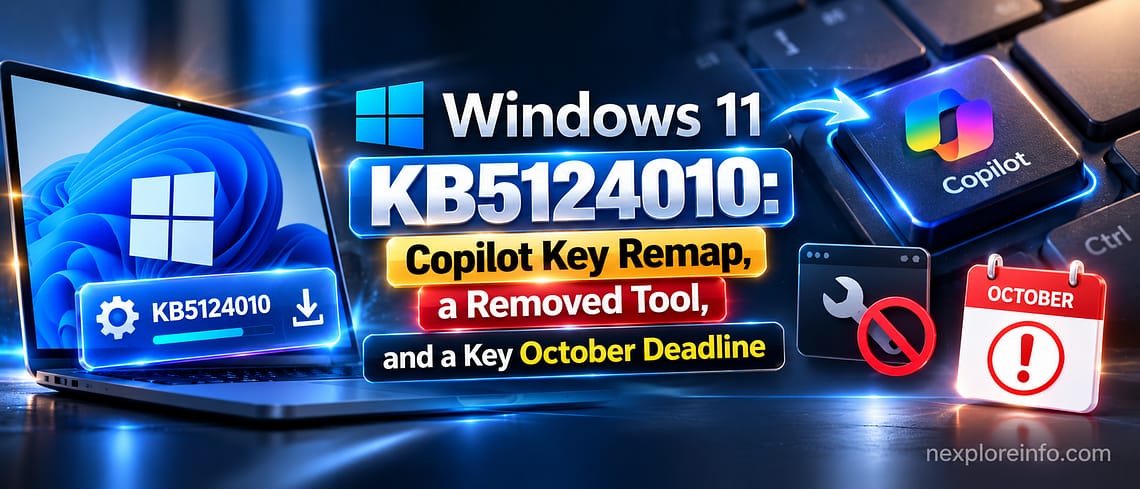
Microsoft released a new preview update for Windows 11 on September 22, 2026, and it changes more than the usual list of bug fixes. The update, KB5124010, lets you remap the Copilot key for the first time and quietly removes a tool some people relied on to move files between PCs. It also lands days before a hard deadline for millions of Windows 11 users. If your PC still runs Windows 11 version 24H2, Microsoft stops supporting it on October 13, 2026, and this is the last preview build that version will get.
Quick Summary
- Microsoft released KB5124010 on September 22, 2026, for Windows 11 versions 24H2 and 25H2.
- The Copilot key can now be remapped to Right Ctrl or a right-click context menu.
- The PC-to-PC Migration tool, which moved files over local Wi-Fi, has been removed in favor of OneDrive backup.
- The update adds Emoji 17.0, a new Tips widget, and an “Open apps maximized” accessibility setting.
- Windows 11 24H2 Home and Pro editions reach end of support on October 13, 2026.
- The update is optional. You have to manually choose “Download and install” in Windows Update.
What Happened?
KB5124010 is a non-security preview update, the kind Microsoft releases between its main monthly security patches. It pushes Windows 11 24H2 to build 26100.9550 and 25H2 to build 26200.9550. Since it skips this month’s security fixes, it does not install automatically, you need to open Settings > Windows Update and choose to download it yourself. According to Microsoft’s official release notes, it bundles around 46 changes in total.
What’s New?
The most talked-about change is that the Copilot key, the dedicated key Microsoft added to newer keyboards to launch its AI assistant, can finally be reassigned to act as Right Ctrl or a right-click menu instead. It is a small fix, but it answers a common complaint from people who never wanted an AI shortcut on their keyboard.
The bigger practical change is the removal of the PC-to-PC Migration tool, which let you transfer files and settings between two Windows 11 computers over local Wi-Fi without using the internet. Microsoft has not brought it back. Instead, it now points users toward OneDrive backup, including an improved camera roll option for photos, a change first detailed by Windows Latest.
Smaller additions round out the update: Emoji 17.0 (Windows key + period), a new Tips widget for the Widgets board and lock screen, an “Open apps maximized” accessibility setting, Bluetooth fixes for unstable calls in apps like Teams and WhatsApp, and a File Explorer Home tab that remembers which sections you had expanded.
Why It Matters
None of these changes are dramatic alone, but together they show Microsoft cleaning up small annoyances, from an uncustomizable keyboard key to dropped Bluetooth calls. The PC-to-PC Migration removal matters more than it looks: it was one of the simplest ways to set up a new PC without a cloud account, and losing it pushes setup further toward Microsoft’s own cloud services.
The October 13 deadline carries the most immediate consequence. After that date, Windows 11 24H2 Home and Pro editions stop receiving any updates, including security patches, according to independent reporting from BleepingComputer. A PC that stops getting security updates becomes an easier target over time even if it keeps working normally.
Who Gets It?
KB5124010 is rolling out to anyone running Windows 11 24H2 or 25H2 in the United States, the United Arab Emirates, and every other region Windows Update covers, gradually, so it may not appear the same day for everyone. Enterprise and education editions of 24H2 are not affected by the October 13 cutoff, since Microsoft is ending support only for Home and Pro.
What You Should Know
Because KB5124010 is optional and skips this month’s security fixes, there is no urgent reason to install it right away. Want early access to the Copilot key remap and other features? Turn it on manually in Windows Update. Otherwise, next month’s Patch Tuesday update will fold these changes into the standard release.
The version number matters more than the preview itself. If Settings shows your PC on Windows 11 24H2 Home or Pro, plan to move to 25H2 before October 13. The upgrade is free and, for most PCs already on 24H2, installs in place without new hardware. If you want to go even further, we have also covered how to get Windows 11 26H2 early, the version Microsoft is already testing beyond 25H2.
What Happens Next?
Expect Microsoft to fold KB5124010’s changes into October’s Patch Tuesday release as a mandatory update. It has also flagged a known bug affecting some USB audio devices, expected to be fixed in a later update. That rollout is worth watching closely. Earlier this month, Microsoft had to rush out an emergency fix after a Windows update broke Remote Desktop, a reminder that even routine updates can carry unexpected side effects.
FAQs
What is KB5124010?
An optional preview update for Windows 11 24H2 and 25H2, released September 22, 2026, previewing features coming to next month’s mandatory update.
Does KB5124010 include security fixes?
No, those still arrive through the regular monthly Patch Tuesday update.
What happened to the PC-to-PC Migration tool, and how do I remap the Copilot key?
Microsoft removed the migration tool, which moved files between two PCs over local Wi-Fi, and now recommends OneDrive backup instead. To remap the Copilot key, go to Settings > Personalization > Text input after installing the update.
Do I need to update from Windows 11 24H2 right now?
Not this week, but plan to move to 25H2 before October 13, 2026, when Microsoft ends support for 24H2 Home and Pro.


Leave a Comment