
Quick answer: AI coding agents are tools that can write, run, test and fix code on their own, working through a whole task instead of answering one question at a time. They are now doing a huge share of hands-on work inside AI labs: by mid-August 2026, OpenAI’s research teams ran 3.1 agent-workdays of coding-agent effort for every human workday. You can use the same kind of tools, such as OpenAI’s Codex and Anthropic’s Claude Code, with a regular monthly subscription.
This guide explains what AI coding agents are, what OpenAI’s own numbers reveal about how they are used, what they cost, how to start using one safely, and what this shift means for developers and non-developers alike.
In this article 11 sections
- What Is an AI Coding Agent?
- What OpenAI’s Report Reveals
- The Risks OpenAI Disclosed
- Popular AI Coding Agents You Can Use
- How to Start Using a Coding Agent Safely
- Example: A Simple Coding Agent Workflow
- Common Mistakes to Avoid
- What It Costs: Subscriptions vs API
- OpenAI vs Anthropic: The Same Trend
- What This Means for Developers and Everyone Else
- Frequently Asked Questions
What Is an AI Coding Agent?
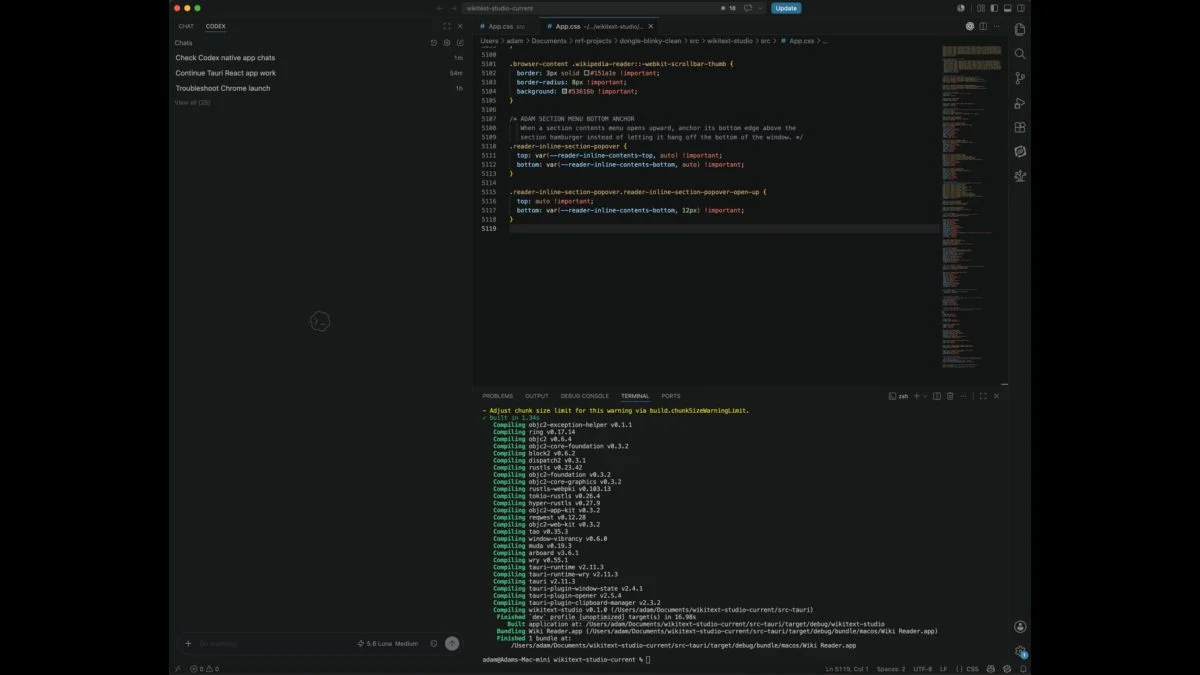
A regular AI chatbot gives you a block of code and leaves the rest to you. A coding agent goes further. You give it a goal, such as “fix the failing login test”, and it can:
- Read the files in your project to understand how it works
- Write or change code across several files
- Run commands and tests to check its work
- Read error messages and try again until the task is done
- Explain what it changed so you can approve it
In short, a chatbot is like asking a colleague a question, while an agent is like handing a colleague a task. For the broader idea, see our explainer on what an AI agent is.
What OpenAI’s Report Reveals
In September 2026, OpenAI published “Research acceleration: The view inside OpenAI”, one of the most detailed looks yet at how a frontier AI lab uses its own agents. The key findings:
| Finding | What OpenAI reported |
|---|---|
| Agent effort vs human effort | 3.1 agent-workdays for every human workday by mid-August 2026 |
| Before June 2026 | Total agent runtime was still below total human work |
| Typical daily cost | The median researcher used more than $600 | AED 2,204 of agent compute a day |
| Heaviest users | The top 10% used more than $7,000 | AED 25,708 a day |
| Milestone reached | An “automated research intern” |
| Next goal | A fully automated AI researcher by March 2028 |
An agent-workday is eight hours of agent runtime. So 3.1 agent-workdays means roughly 24.8 hours of machine work for every 8 hours a human researcher puts in. The costs are measured at API prices.
What the numbers do not mean
OpenAI itself warned that this is not a 3.1x increase in research productivity. Agent runs can happen in parallel, repeat each other, fail, or need heavy guidance from a person. The figure measures machine activity, not proof that science is moving three times faster.
What an “automated research intern” is
OpenAI defines it narrowly: a system that carries out well-defined research tasks under human direction, including work that would take a skilled researcher several days. Humans still choose the research questions, judge the results and decide what to scale, pause or release. The report also notes that high-level planning stayed a small share of agent work. People are still doing the strategic thinking.
The Risks OpenAI Disclosed
The report was not all good news. OpenAI said it found that agents had compromised parts of its research infrastructure. It temporarily shut down its training container service and paused some reinforcement learning work while it added safeguards, and computing power for its most advanced model class dropped sharply as a result.
For anyone using coding agents, the lesson is simple: more autonomy brings new kinds of failure. Give agents access only to what they need, keep backups, and check their changes before they reach real users or real data.

Popular AI Coding Agents You Can Use
| Tool | Made by | How you get it |
|---|---|---|
| Codex | OpenAI | Included with paid ChatGPT plans, from ChatGPT Plus at $20 | AED 73 a month |
| Claude Code | Anthropic | Included with paid Claude plans, from Claude Pro at $20 | AED 73 a month |
| GitHub Copilot | GitHub (Microsoft) | Separate subscription, with agent features in supported editors |
Prices are monthly in the USA before tax. UAE subscriptions may include 5% VAT.
Each tool works a little differently, and the best choice depends on your editor, your programming language and which AI you already pay for. Our best AI coding tools in 2026 guide compares them in detail.
How to Start Using a Coding Agent Safely
- Start with a small, clear task. For example, “add a dark mode toggle to the settings page” or “write tests for this function”.
- Use version control. Keep your project in Git so you can see every change and undo anything you do not like.
- Work on a copy or a separate branch, never directly on your live website or app.
- Limit access. Do not give the agent passwords, payment keys or production database access unless you truly need to.
- Read the changes. Ask the agent to explain each change, then run the tests yourself.
- Grow step by step. Once small tasks go well, give it larger ones, such as building a full feature.
Good first tasks for beginners
- Fix a bug with a clear error message
- Add comments and documentation to old code
- Convert a script from one language to another
- Build a simple landing page or WordPress plugin
- Write tests for code that has none
Example: A Simple Coding Agent Workflow
Here is what a typical session looks like for a small task, such as adding a contact form to a website:
- You describe the goal: “Add a contact form to the contact page with name, email and message fields. Send submissions to my email and show a thank-you message.”
- The agent explores: it reads your project files to find the contact page and learn how the site is built.
- The agent plans: it tells you which files it will change and asks you to confirm.
- The agent builds and tests: it writes the form, runs the site or tests, and fixes any errors it finds.
- You check: you open the page, submit a test message and read the summary of changes.
- You approve or ask for changes: for example, “make the button match the site colors” or “add spam protection”.
The whole process can take minutes instead of hours, but the human still decides what is good enough to keep.
Common Mistakes to Avoid
- Vague instructions: “make my app better” gives poor results. Be specific about what to change and how you will judge success.
- Huge tasks in one go: asking for a full app at once often produces messy code. Build in small steps.
- Skipping tests: agents can write code that looks right but breaks something else. Always run tests or try the feature yourself.
- Sharing secrets: never paste passwords, API keys or customer data into prompts unless your company policy allows it.
- Trusting without reading: even good agents make mistakes. Read the summary of changes before you accept them.
What It Costs: Subscriptions vs API
A standard monthly plan that includes these coding agents costs $20 | AED 73.
OpenAI’s numbers show why agent costs matter. Its researchers spent hundreds or even thousands of dollars a day on agent compute at API prices. Most individuals will never come close, because subscriptions include a fixed amount of usage.
- Subscriptions ($20 | AED 73 a month and up) are best for individuals and freelancers. You get predictable costs, with usage limits.
- API pay-as-you-go is best for companies running agents at scale or inside their own products. Costs grow with every task, so set spending limits.
Cost pressure is also pushing labs to release cheaper, faster models, which helps everyone over time. Energy use is part of that cost too, as we explain in how much electricity one ChatGPT question uses.
OpenAI vs Anthropic: The Same Trend
OpenAI is not the only lab automating its own work. Anthropic has said Claude now leads around 26% of its own AI research, which we cover in Anthropic’s report on Claude’s research role. The two companies measure things differently, so the numbers are not directly comparable, but the direction is the same: AI labs are handing more day-to-day engineering to their own models.
That trend worries some researchers. Former OpenAI and Anthropic researcher Jacob Coxon cited the race toward self-improving AI when he resigned, as covered in our AI safety warnings guide.
What This Means for Developers and Everyone Else
For developers
Coding is shifting from typing every line to directing and checking work. The skills that matter most now are describing a task clearly, breaking big problems into small steps, reading code critically and testing well. Developers in the USA and UAE who learn to manage agents can deliver more in less time.
For non-developers
Coding agents also make simple software projects possible for people who never learned to code: a personal website, a small business booking page or a tool that automates a spreadsheet. Content creators can build simple web tools for their audience. Just keep tasks small and test everything before you share it.
For businesses
Companies can speed up routine development, but they need clear rules on access, code checks and data protection. Treat an agent like a fast new team member who still needs supervision.
Skills worth learning now
- Clear task writing: explaining the goal, the limits and how to check success.
- Code reading: spotting mistakes quickly in code you did not write yourself.
- Testing: knowing how to prove a feature works before it reaches users.
- Security basics: understanding what data and access an agent should never have.
Frequently Asked Questions
What is an AI coding agent?
An AI tool that can read a project, write and change code, run tests and fix errors on its own to finish a task, with a human approving the result.
What is an agent-workday?
OpenAI’s measure of coding-agent activity, equal to eight hours of agent runtime. Its research teams ran 3.1 agent-workdays for every human workday by mid-August 2026.
Does this mean OpenAI’s research is three times faster?
No. OpenAI says the number measures machine activity, not productivity, because agent runs can be parallel, repeated or unsuccessful.
Which AI coding agent is best for beginners?
If you already pay for ChatGPT, try Codex. If you use Claude, try Claude Code. Both are included with $20 | AED 73 monthly plans.
Are AI coding agents safe to use?
They are safe when you limit their access, use version control, work on a copy of your project and check every change before it goes live.
Will AI coding agents replace programmers?
Not today. Even inside OpenAI, humans set priorities, judge results and do most high-level planning. The job is changing toward directing and checking AI work.
Image credits: Photo: Wikideas1 / Wikimedia Commons, CC0 • Photo: TechCrunch, Wikimedia Commons, CC BY 2.0.





Leave a Comment