
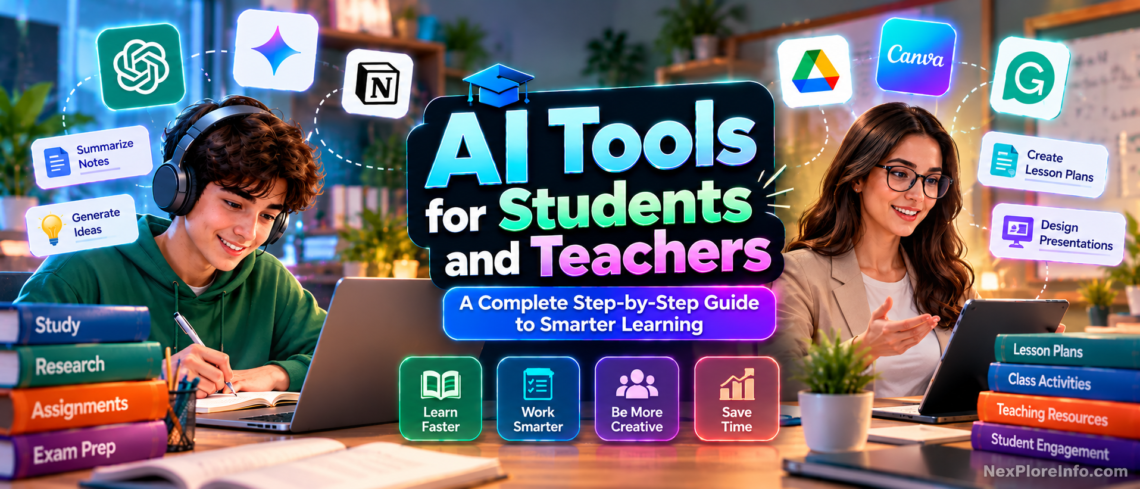
AI can help students understand difficult concepts, organize research, build revision materials and practice new skills. For teachers, it can support lesson planning and classroom preparation. The most useful approach is to treat AI as a learning assistant, not a replacement for critical thinking.
This step-by-step guide explains how to choose AI education tools, use them responsibly, verify their answers and protect student data.
What are AI tools for education?
AI education tools use artificial intelligence to explain concepts, assist with research, organize documents, provide feedback and generate study activities. They can be useful, but can also make factual errors or invent sources. Always compare important information with trusted course materials.
Best AI Tools for Students and Teachers in 2026
- ChatGPT: useful for explanations, practice questions, feedback and step-by-step learning. Its Study Mode can guide students with questions, explain concepts in layers and quiz them instead of immediately giving the final answer.
- Google Gemini: useful for explanations, planning, multimodal questions and adaptive study. Google has added study notebooks and Guided Learning features for more structured learning workflows.
- Claude: helpful for working through long documents, comparing arguments and giving structured feedback on drafts.
- Gemini Notebook (formerly NotebookLM): best when you want answers grounded in selected sources, with citations back to those materials.
- Microsoft Copilot: useful for productivity, research support and school workflows, especially in organizations already using Microsoft 365.
There is no single best tool for every task. Choose the tool by learning goal: general explanations, source-grounded research, writing feedback, classroom preparation or document analysis. Availability, prices, permissions and feature limits can change, and school-managed accounts can have different privacy and access rules.
Which AI Tool Should You Use for Each Education Task?
| Task | Good Starting Tool | Why |
|---|---|---|
| Learn a difficult concept | ChatGPT Study Mode or Gemini Guided Learning | Both can teach step by step, ask questions and check understanding. |
| Study your own notes and sources | Gemini Notebook | Answers stay grounded in selected sources and include citations. |
| Compare long documents | Claude | Useful for working through lengthy material and structured comparisons. |
| Create practice questions | ChatGPT, Gemini or Gemini Notebook | All can generate quizzes when given the correct source material and difficulty level. |
| Draft a lesson outline | ChatGPT, Gemini or Copilot | Useful for first drafts when the teacher provides age, curriculum goal, duration and constraints. |
| Work inside Microsoft 365 | Microsoft Copilot | Best fit for schools already using Microsoft 365 tools and managed education accounts. |
The best choice is usually the tool that matches the task and your school’s approved platform. Students do not need five subscriptions to study effectively; one general assistant plus a source-grounded tool can cover most learning workflows.
Step 1: Define a specific learning goal
Before opening a chatbot, decide what you want to understand and how you will know you have learned it. A precise goal produces a better exchange than a general request.
Example prompt: “Explain the difference between mitosis and meiosis for a Grade 10 student, then give me five practice questions. Wait until I answer before revealing solutions.”
For research, ask for questions and source suggestions rather than accepting a generated essay as fact.
Step 2: Use Guided Learning or Study Mode for Difficult Concepts
- Select one confusing concept from your textbook.
- Request an age-appropriate explanation.
- Ask for an everyday analogy and a counterexample.
- Compare the response with class notes or an official textbook.
- Explain the concept in your own words and ask for feedback.
For example, ask for Newton’s third law to be explained with ordinary situations, then identify where your explanation is incomplete. In ChatGPT, Study Mode can ask questions and check understanding instead of only producing a direct answer. Gemini also offers guided-learning and study-notebook experiences that adapt lessons around a student’s goals and knowledge gaps. An accessible answer is not always comprehensive, so technical precision still matters.
Step 3: Convert notes into practice questions
- Choose a section of authorized study material.
- Remove any confidential student information.
- Paste or upload only the relevant material.
- Request questions at increasing difficulty.
- Attempt each answer without looking at the notes.
- Check the feedback against the original material.
Example prompt: “Using only these notes, create 15 revision questions: five easy, five medium and five advanced. Ask them one at a time. Cite my notes when reviewing my answers.”
Step 4: Use Gemini Notebook for Source-Based Research
NotebookLM is now branded as Gemini Notebook. It is designed to help people work with selected source material. Its citations make it easier to check where an answer came from, but those citations still require human review. It is especially useful for textbooks, lecture slides, papers, class notes and research packs where you want the AI to stay close to the material you provide.
- Open NotebookLM and create a notebook.
- Add permitted documents or supported sources.
- Ask a specific question across those sources.
- Open the cited passages to verify claims and context.
- Generate available study aids, then review their accuracy.
Try: “Compare how these sources explain climate change adaptation. Identify the strongest disagreements and support each claim with a source citation.”
For the detailed workflow, see NexPloreInfo’s guide to using NotebookLM and the official NotebookLM Help Center.
Step 5: Improve writing without outsourcing the assignment
AI can help review structure, detect repetitive sentences and highlight unclear reasoning. It should not misrepresent AI-generated work as a student’s independent work.
- Draft your own outline and argument.
- Ask for feedback on clarity and logic.
- Check any suggested evidence yourself.
- Verify every cited publication exists and supports the claim.
- Write the final submission in accordance with school rules, including disclosures where required.
Example prompt: “Identify unsupported claims and unclear paragraphs in my introduction. Explain the problems without rewriting the entire assignment or inventing sources.”
Step 6: Prepare better classroom activities
Teachers can use AI to draft preliminary lesson structures, questions and vocabulary activities. The educator remains responsible for academic quality, classroom suitability and inclusive instruction.
Start with the students’ age, learning objectives, lesson duration and available equipment. Request a draft, compare it with the curriculum, and revise every factual claim.
Example prompt: “Prepare a 45-minute lesson outline on renewable energy for 13-year-old students. Include objectives, a short introduction, group discussion, classroom exercise and exit ticket. Assume a projector but no laboratory equipment.”
AI Tools for Teachers: Practical Uses
Teachers get the most value from AI when it reduces repetitive preparation rather than replacing professional judgment. Useful workflows include drafting lesson outlines, creating vocabulary lists, generating alternative examples, adapting reading difficulty, preparing discussion questions and producing first-pass rubrics or exit tickets.
- Lesson planning: give the AI the age group, learning objective, lesson length, curriculum standard and available equipment.
- Differentiation: ask for the same concept explained at multiple reading levels, then review each version for accuracy and tone.
- Assessment preparation: generate practice questions or sample misconceptions, but verify answers before giving them to students.
- Classroom materials: turn approved source material into a glossary, worksheet outline or discussion guide.
- Student support: use institution-approved tools to provide extra practice while keeping the teacher in control of feedback and grading.
Google has expanded Gemini for Education and Classroom with tools such as Guided Learning, study notebooks and teacher-led learning experiences, while OpenAI offers Study Mode and education-focused workflows through eligible education products. Schools should still use their own policies to determine which accounts and data are approved.
Step 7: Verify AI answers with reliable sources
Generative AI can produce persuasive but inaccurate explanations, outdated numbers or invented citations. Use this five-point review:
- Source: Can the claim be traced to an identifiable publication?
- Date: Is the information current for the question?
- Context: Does the cited passage actually support the statement?
- Agreement: What do other credible sources say?
- Uncertainty: Does the answer separate established findings from speculation?
Never cite an AI-generated statistic without locating the underlying source.
Step 8: Protect student privacy
Do not casually upload student names, marks, records, contact details or confidential assignments to an external AI system. Follow school policy and applicable privacy rules. Use approved institutional accounts where available, remove identifying details from examples and review retention and sharing settings.
OpenAI’s consumer privacy information is a starting point for understanding its products’ data controls. Different providers and account types have different practices.
Step 9: Follow academic integrity policies
Permitted AI assistance varies among courses and institutions. Using an approved system to practice a concept differs from handing in a generated essay as one’s own work. Students should ask instructors when boundaries are unclear and acknowledge assistance where required.
AI detection outputs also have limitations and should not be treated as infallible evidence. For broader safeguards, consult UNESCO’s guidance on generative AI in education.
Step 10: Understand when an AI agent is needed
Most educational questions can be handled with a chatbot or source-based assistant. An AI agent may connect multiple authorized tasks, such as organizing approved study documents and drafting a revision schedule. Because agents may access accounts or act on a user’s behalf, use minimal permissions and human review for consequential actions.
Read What Is an AI Agent? How It Works, Real Examples and Risks for more background.
A practical seven-day AI study plan
- Day 1: Choose a learning objective.
- Day 2: Ask for explanations and verify them.
- Day 3: Create and complete practice questions.
- Day 4: Organize permitted research sources.
- Day 5: Improve an explanation you wrote yourself.
- Day 6: Complete an independent practice assessment.
- Day 7: Review mistakes, sources and privacy habits.
How to write better AI prompts for education
Good prompts establish a clear task, learner level, constraints and expected output. Compare “Tell me about electricity” with “Explain voltage, current and resistance to a 15-year-old, with accurate definitions, everyday examples and three questions. Wait for my answers before revealing solutions.”
The same principle applies to creative workflows. See NexPloreInfo’s guide to writing AI video prompts for more examples of providing context and constraints.
Common mistakes to avoid
- Accepting fluent explanations without checking facts.
- Uploading confidential educational records.
- Using AI to bypass rather than support learning.
- Ignoring school rules about assessment and disclosure.
- Paying for multiple tools before identifying a real need.
- Assuming every citation generated by AI is accurate.
Frequently asked questions
What is the best AI tool for students?
There is no universal choice. General-purpose assistants help with explanations and practice, while source-based tools such as NotebookLM are useful when studying selected documents.
Can students use AI for homework?
Only in ways permitted by their teachers and institutions. Rules may differ between practice and graded work.
Can teachers use AI for lesson plans?
Yes, as a drafting and brainstorming aid. They should review accuracy, inclusivity and curriculum alignment.
Can AI replace teachers?
AI cannot replace the full role of a teacher, including professional judgment, mentorship and support for student wellbeing.
Is AI reliable for academic research?
It can assist with organization and exploration, but all substantive claims and citations require independent verification.
Are free AI tools sufficient?
Often yes for basic learning activities. Paid features vary and do not guarantee correctness.
Is it safe to upload school documents?
That depends on the content, institutional authorization and service policies. Sensitive records require particular care.
Final thoughts
AI works best in education when it strengthens understanding rather than replacing independent thinking. Define a learning goal, use the right tool, validate its claims, protect private information and follow academic integrity requirements. A thoughtful workflow matters more than the number of tools used.
Further reading and educational resources
- UNESCO: Generative AI in education and research
- Google NotebookLM Help
- OpenAI privacy information
- NexPloreInfo: How to Use NotebookLM
- NexPloreInfo: What Is an AI Agent?
Editorial note: This article draws on publicly available product documentation and educational guidance. It does not claim independent product testing. Features and policies should be checked before use.









Leave a Comment