
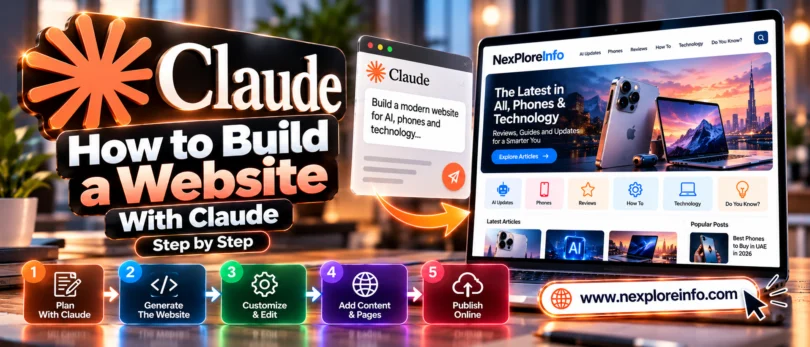
You don’t need to know code to build a website with Claude. You need a clear idea, your real content, and a plan for where the finished site will live.
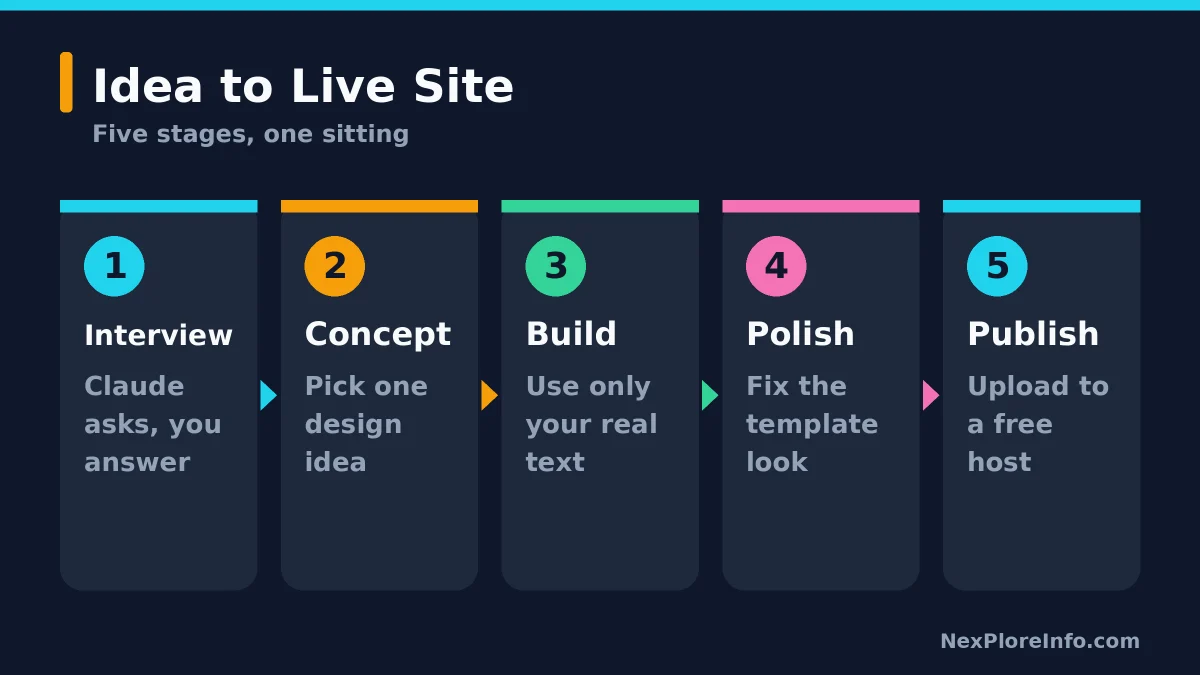
Quick answer: To build a website with Claude, let it interview you about your business, pick a design concept, ask it to build a homepage from your real text, then export the files and upload them to a free host like Netlify or Cloudflare Pages. A free Claude account is enough to start.
In this article 11 sections
- Can Claude Build a Website?
- What You Need Before You Start
- How to Build a Website With Claude, Step by Step
- Which Method Should You Pick?
- How to Publish Your Claude Website for Free
- How to Connect Your Own Domain
- Prompts You Can Copy
- What Claude Can’t Do for Your Website
- Claude Plans and Prices for Website Building
- Mistakes to Avoid
- FAQs
Can Claude Build a Website?
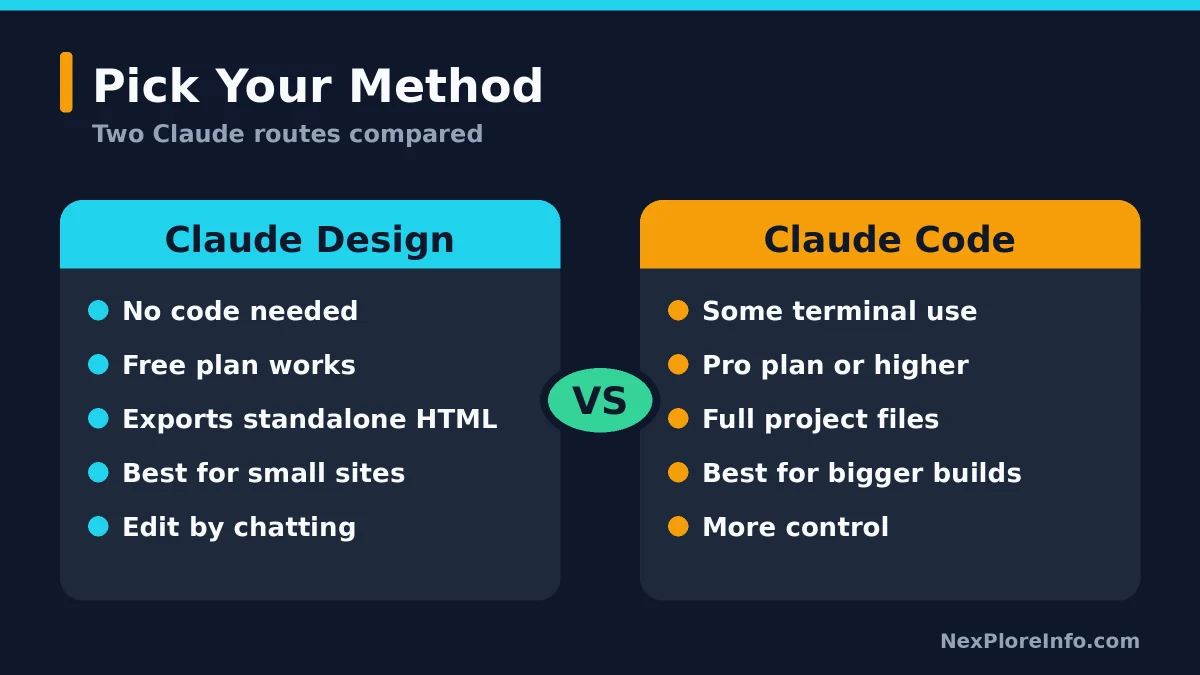
Yes, with limits. Claude can design and write the pages, but it doesn’t host them for you. You have three realistic routes, and the right one depends on how much control you want.
| Method | Best for | Coding needed? | Plan |
|---|---|---|---|
| Claude Design (in any chat) | Landing pages and small business sites | No | Free and up |
| Claude Code | Bigger projects with full file control | Some terminal use | Pro and up |
| Website builder connector (such as Wix) | Hosting, forms and payments handled for you | No | Free builder account |
This guide follows the first route, because it works for most beginners and costs nothing to try. Claude’s help center says the Design template builds mockups, prototypes, one-pagers and landing pages, and exports them as a ZIP, PDF, PowerPoint or standalone HTML. If you’re new to Claude, start with our guide on what Claude AI is and how it works, then see how the Design template fits with Docs and Slides in our Claude Docs, Slides and Design guide.
What You Need Before You Start
You need four things, and none of them cost money.
- A Claude account. The free plan works for Design. Turn on “Create and edit files” under Settings, then Capabilities, or artifacts won’t appear.
- Your real content. Business name, services, prices, contact details and any photos. Claude shouldn’t invent these.
- One goal. Decide the single thing a visitor should do, such as call you, book a class or join a list.
- A free hosting account. You’ll set this up in the publishing step.
How to Build a Website With Claude, Step by Step
There are eight steps. Most are just conversations with Claude, so you can get through them in one sitting. The order below follows a method laid out in a Forbes guide published on October 28, 2026, adapted here into plain steps.
Step 1: Let Claude interview you
Don’t start with “make me a website.” Ask Claude to question you first. It should cover your customers, what makes you different, your brand assets and the one action you want visitors to take. Ask for one question at a time so you don’t get overwhelmed.
Step 2: Ask for three design ideas in words
Before anything gets built, have Claude describe three different concepts in a few sentences each. It’s far cheaper to change your mind about a written idea than a finished page.
Step 3: Turn your favorite idea into a short design brief
Pick one concept and ask for a brief of about 200 words. It should cover colors, fonts, the main image, the sections, any animation and accessibility needs. This brief becomes the rulebook for every page after the first.
Step 4: Build the homepage from your real content
Now ask for the page itself. In the message box, choose Output and then the Design template, or just describe a single-page website. Paste in your actual text. Tell Claude to mark anything missing as [TO WRITE] instead of making it up, and to put the main action where phone visitors see it first.
Step 5: Make it look less like a template
First drafts often look generic. Ask Claude to name five things that make the page feel template-like, then fix them without touching your content. One pass usually makes a visible difference.
Step 6: Add the other pages
Build Services, About or Menu pages next, and tell Claude to reuse the design brief from step 3. That keeps colors, fonts and spacing consistent across the site.
Step 7: Rewrite the text in your own voice
Ask Claude to tighten the copy so it sounds like you and to cut vague marketing words and claims you can’t back up. Then read it aloud yourself. If a sentence sounds like nobody you know, change it.
Step 8: Check phone layout, accessibility and search basics
Open the page on a real phone. Then ask Claude to audit contrast, alt text, form labels and keyboard use. For search, keep the page title under about 60 characters and the description under about 160, and describe every image in alt text. Forbes points to WCAG 2.2 AA contrast targets of 4.5:1 for normal text and 3:1 for large text, and suggests the free WebAIM WAVE checker as a second opinion. Treat Claude’s own audit as a first pass.
Which Method Should You Pick?
If you only need a landing page or a five-page business site, stay with Claude Design. If you want to grow into a bigger project with many files, Claude Code gives you full control, and our guide to the best AI coding tools shows where it fits. Claude Code is included with Pro, Max and Team plans, not Free.
How to Publish Your Claude Website for Free
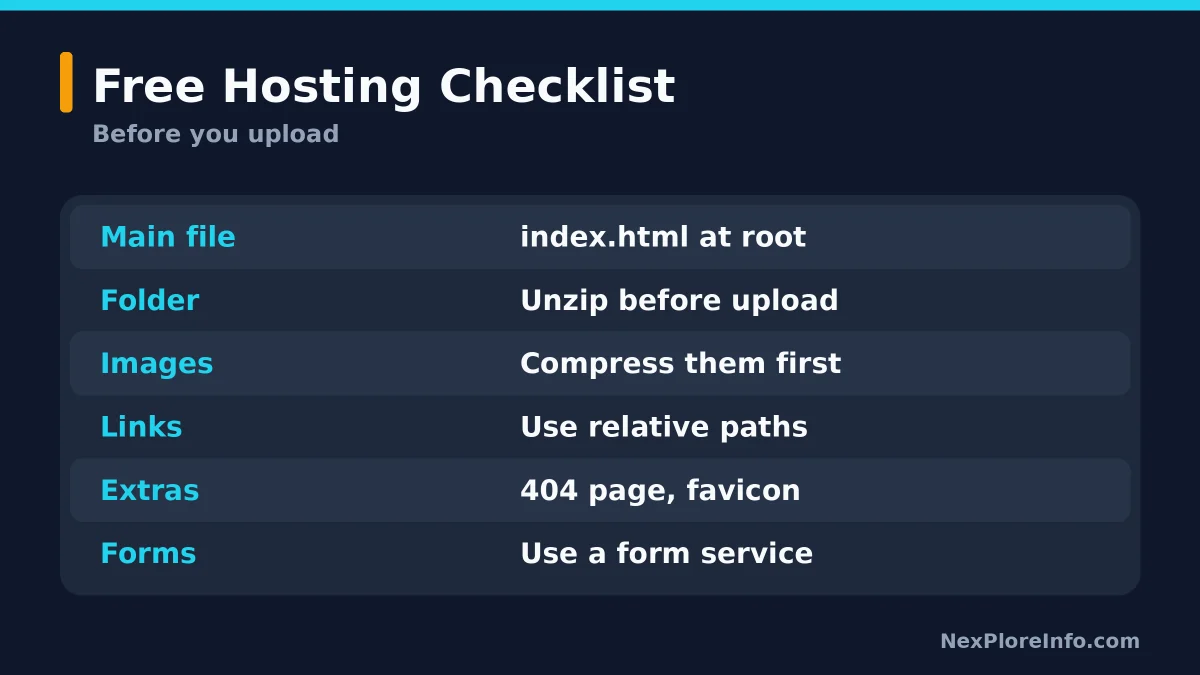
Claude builds the files, but you still need a host to put them online. The simplest free routes are Netlify and Cloudflare Pages. Export your design as a ZIP or standalone HTML first, and make sure the main page is named index.html at the top level.
Option 1: Netlify Drop
Netlify’s docs describe a drag-and-drop deploy that needs no account. Open Netlify Drop, drag your project folder into the Deploy zone, and Netlify gives you a live address. If you have a ZIP, unzip it first so the files sit inside a folder. To update the site later, drag the new folder in again.
Option 2: Cloudflare Pages
Cloudflare Pages suits you if you want a free home with room to grow. Its documented free limits are 20,000 files per site, 25 MiB per file and 100 custom domains per project, which is plenty for a small business site.
Option 3: A Claude share link
You can also share a page straight from Claude, which is fine for showing a draft to a friend. Claude’s sharing guide says artifacts start private, and published ones can be opened by anyone with the link without a Claude account. Claude Code can also publish a page to a private claude.ai address, as its documentation explains. But an artifact is one self-contained page with no backend, so it won’t replace a real multi-page site on your own domain.
How to Connect Your Own Domain
A custom address like yourbusiness.com costs a yearly fee at a domain registrar. Once you own it, add it in your host’s custom domain settings and follow the instructions it shows. Hosts like Netlify and Cloudflare typically issue the security certificate for you once the domain is connected.
Prompts You Can Copy
Swap the brackets for your own details. If you want to get better at wording requests, our 5-part AI prompt framework helps.
- Interview: “I want a website for [business]. Ask me 10 questions, one at a time, about my customers, what makes me different and the one action I want visitors to take. Don’t design anything yet.”
- Concepts: “Write three different design concepts for my site, three sentences each. Don’t build anything.”
- Build: “Build the homepage using only the content I paste below. Put the main action above the fold on phones. Mark anything missing as [TO WRITE].”
- Polish: “List five things that make this page look like a template, fix them, and tell me what you changed. Keep my text as it is.”
- Launch prep: “Get this ready for free hosting: index.html at the root, relative links, compressed images, a 404 page and a favicon. List every file and the upload steps.”
What Claude Can’t Do for Your Website
Claude is great at design and copy. A few jobs still need other tools.
- Forms and bookings. Static hosts don’t process form submissions. Connect a form or booking service instead.
- Payments and customer accounts. Use an established provider rather than asking Claude to code your own checkout.
- Security. Forbes cites a study by Veracode, covering more than 100 models and not Claude alone, that found security flaws in 45% of AI coding tasks. Treat generated code as a draft.
- Regulated or high-stakes sites. Health records, accounts and established brands are worth a professional’s time.
If you’d rather have hosting, forms and payments built in, a website builder is the easier path. Wix says its Claude connector lets Claude plan and create a site inside a free Wix account. Compare that with ChatGPT’s approach in our guide to building a website with ChatGPT Sites.
Claude Plans and Prices for Website Building
| Plan | Price per month (USD | AED) | Artifacts and Design | Claude Code |
|---|---|---|---|
| Free | $0 | AED 0 | Yes | No |
| Pro | $20 | AED 73 (or $17 | AED 62 billed yearly) | Yes | Yes |
| Max | From $100 | AED 367 | Yes | Yes |
| Team | $25 per standard seat | AED 92 | Yes | Yes |
Pricing checked: October 2026 on Claude’s pricing page. Plans change, so confirm before you pay. You also need to pay a registrar if you want your own domain.
Mistakes to Avoid
- Skipping the interview. Without it, Claude guesses, and your site ends up sounding like everyone else’s.
- Letting Claude invent content. Fake customer quotes and made-up prices will hurt you. Mark gaps and fill them yourself.
- Forgetting to check on a phone. Most visitors will arrive on one.
- Uploading the wrong folder. If your host shows an error, the usual cause is index.html sitting inside a nested folder.
- Treating the first draft as final. Plan on a few rounds of polish.
FAQs
Can Claude build a website?
Yes. Claude can design pages and write the content, and you can export the result as standalone HTML. It doesn’t host the site, so you upload the files to a host such as Netlify or Cloudflare Pages.
Can I build a website with Claude for free?
Yes. Claude’s Design template is available on the free plan, and Netlify and Cloudflare Pages both offer free hosting for simple sites. You’d only pay for a custom domain, which has a yearly registrar fee.
Do I need to know how to code to use Claude for a website?
No. With Claude Design you describe the site in plain language and ask for changes in chat. Claude Code is better if you’re comfortable with a terminal, but it isn’t required.
How do I publish a website made with Claude?
Export your design as a ZIP or standalone HTML, make sure the main file is called index.html, then drag the folder into Netlify Drop or upload it to Cloudflare Pages. Your host gives you a live address immediately.
Can I use my own domain name?
Yes. Buy the domain from a registrar, then add it in your host’s custom domain settings and follow the steps shown. Claude’s own share links don’t use your domain.
Will a Claude-built website show up on Google?
It can, if you give each page a unique title, a short description, descriptive alt text and real content. Claude can draft those elements, but no tool can promise a ranking.




Leave a Comment