
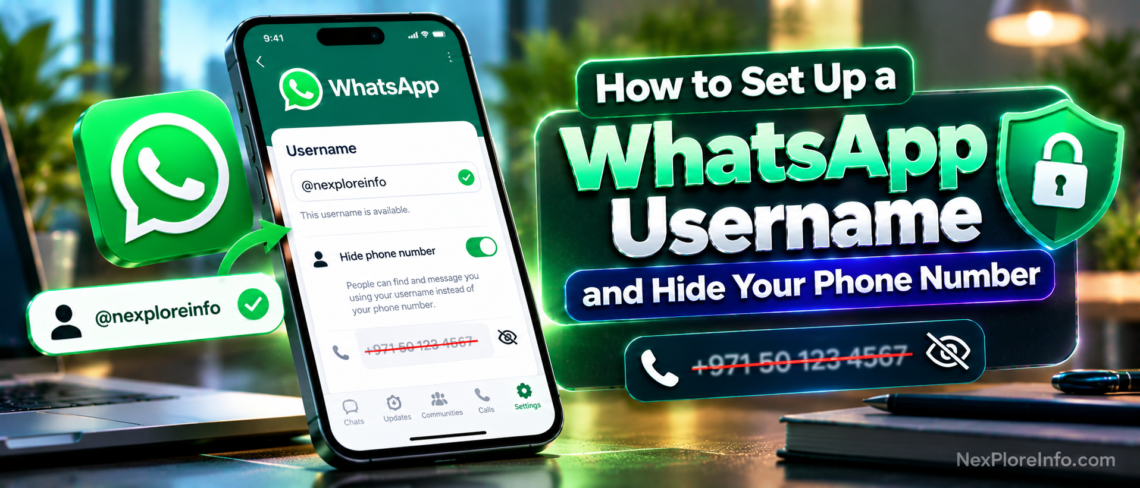
Steps and rules below are based on WhatsApp’s username launch and current rollout.
To set up a WhatsApp username, open WhatsApp, go to Settings > Account > Username, tap Create username, type the name you want and tap Save. Once your username is active, people you message see your username instead of your phone number, so you can chat with new contacts without sharing your number.
WhatsApp announced usernames on June 29, 2026, and started switching on active usernames from July 17, 2026. The feature is rolling out gradually, so this guide also explains what to do if you do not see it yet, the username rules, and how the optional username key protects you from spam.
Quick Summary
- Where: Settings > Account > Username, in the WhatsApp mobile app
- Length: 3 to 35 characters
- Cost: free and optional
- Privacy: usernames are not searchable, and you can add a username key
- Phone number: still needed to create a WhatsApp account, but not shared when you message by username
How to Create a WhatsApp Username on Android
- Update WhatsApp from the Google Play Store.
- Open WhatsApp and tap the three-dot menu in the top-right corner.
- Tap Settings, then Account.
- Tap Username.
- Tap Create username, or choose to import your Facebook or Instagram username.
- Type the username you want and tap Save.
How to Create a WhatsApp Username on iPhone
- Update WhatsApp from the App Store.
- Open WhatsApp and tap Settings at the bottom of the screen.
- Tap Account, then Username.
- Tap Create username, or import your Facebook or Instagram username.
- Enter your username and tap Save.
You need the mobile app for this. Android Authority reports that you cannot create a username from WhatsApp Web.
WhatsApp Username Rules
- Your username must be 3 to 35 characters long.
- It must follow WhatsApp’s policies, so offensive or misleading names can be refused.
- WhatsApp has reserved some usernames for well-known people, brands and organizations.
- Creators and businesses can claim the same username they use on Facebook or Instagram, so their name matches across Meta’s apps.
- You can change your username or turn the feature off at any time in the same menu.
How Messaging by Username Works
After your username is active, anyone you start a new chat with sees your username, not your phone number. People who already have your number saved can still message you by phone number as before. When you create a username, WhatsApp also lets people you already have an active chat with know about it.
There is no username directory or search. Someone needs your exact username to contact you, which makes it much harder for strangers to find you by guessing. That makes usernames useful for selling items online, joining community groups or talking to a new client without giving out your personal number.
WhatsApp Username vs Phone Number
| Feature | Phone number | Username |
|---|---|---|
| Needed to create an account | Yes | No, it is optional |
| Shown to new contacts | Yes | Only your username |
| Can be searched or guessed | Numbers can be guessed or passed on | No search, exact username needed |
| Extra protection | None | Optional username key |
| Can be changed easily | Requires a new number | Yes, in Settings |
How to Message Someone by Username
- Open WhatsApp and tap the New chat button.
- Type the person’s exact username in the search bar at the top.
- If they use a username key, enter the key they gave you when asked.
- Tap their profile and send your first message.
Because there is no directory, a username with even one wrong letter will not find the right person, so copy and paste it when you can.
How to Change or Remove Your WhatsApp Username
- Go to Settings > Account > Username.
- Tap your current username to edit it, type the new one and tap Save.
- To stop using a username, choose the option to remove it or turn the feature off on the same screen.
If you change your username, people who only know the old one will not be able to find you with it, so tell your regular contacts about the change.
What Is a WhatsApp Username Key?
A username key is an optional extra code, like a password, that new contacts must enter before they can message you by username. If you share your username publicly, for example in an Instagram bio, adding a key stops random people from messaging you unless you also give them the key. You can set it up in the Username section of your account settings.
How to Add a Username Key
- Go to Settings > Account > Username.
- Choose the username key option.
- Create a key that is easy for you to share but hard for strangers to guess.
- Save it, then share it only with people you want to hear from.
People who already have a chat with you, or who have saved each other as contacts, do not need the key. It only applies to new people trying to reach you by username.
Why Don’t I See the Username Option?
WhatsApp is rolling usernames out in stages by account and country. MacRumors reported that active usernames began rolling out on July 17, 2026, starting with people who had already reserved one. If you do not see Username under Settings > Account:
- Update WhatsApp to the latest version from the Play Store or App Store.
- Force close the app and open it again.
- Check again in a few days, since WhatsApp sends a notification when the feature reaches your account.
WhatsApp Username Problems and Fixes
“This username is not available”
Someone else already has it, or WhatsApp has reserved it for a well-known person or brand. Try adding a word, an underscore or a short number, or import your Instagram or Facebook username if you own it.
“This username is not allowed”
Your choice breaks WhatsApp’s naming rules or policies. Check that it is between 3 and 35 characters and avoid offensive words or names that pretend to be someone else.
The Username option is missing
The feature has not reached your account yet. Update WhatsApp, restart the app and check again over the next few days. You also need the mobile app, not WhatsApp Web.
My contacts can still see my number
That is normal for people who already have your number saved or who chatted with you before. A username only hides your number from new contacts who reach you by username.
Best Ways to Use a WhatsApp Username
- Selling online: share your username on marketplace listings instead of your phone number.
- Community and school groups: connect with new people without exchanging numbers.
- Freelancers and small businesses: put your username on social profiles and business cards, and use a username key to filter spam.
- Creators: match your Instagram handle so followers can find you easily.
- Travel: keep the same username even if you switch to a local SIM, as long as your account stays active.
WhatsApp Username Privacy Tips
- Do not include your full name and birth year together in your username.
- Use a username key if your username is posted anywhere public.
- Turn on two-step verification in Settings > Account to protect your account with a PIN.
- Check Settings > Privacy to control who can see your profile photo, about and last seen.
- Block and report anyone who misuses your username to contact you.
WhatsApp Usernames for Businesses and Creators
Usernames are especially useful if people contact you for work. Creators and businesses can claim the same username they already use on Instagram or Facebook, so customers and followers recognize them across Meta’s apps. That makes it easier to print one handle on social profiles, websites and packaging.
Businesses that use the WhatsApp Business Platform also had to update their systems for usernames. Meta introduced a business-scoped user ID so companies can keep serving customers who choose to hide their phone numbers. If you run a small shop on the regular WhatsApp Business app, the simplest step is to set a username that matches your brand and add it to your Instagram bio.
Is a WhatsApp Username Worth Setting Up?
Yes, for most people. It is free, takes less than a minute and gives you a safer way to talk to people you do not know well, such as buyers, sellers, new colleagues or members of a group. You do not lose anything by creating one, because friends and family who have your number can still reach you exactly as before.
The only reason to wait is if you never share your WhatsApp with new people. Even then, reserving the username you want now stops someone else from taking it first.
Tips for Choosing a Good Username
- Use the same name you use on Instagram or Facebook so people recognize you.
- Keep it short and easy to spell out loud.
- Avoid your birth year, phone number or other personal details.
- Add a username key if you plan to share your username publicly.
- Pick something you will be happy to keep for years, since changing it later means telling your contacts again.
- Avoid numbers that look like a phone number, so people do not confuse your username with your real contact details.
Want more ways to get the most out of the app? See our WhatsApp new features 2026 guide and our list of hidden WhatsApp features. For stronger account security across your apps, read how to set up passkeys.
Frequently Asked Questions
How do I set a username on WhatsApp?
Go to Settings > Account > Username, tap Create username, enter a name between 3 and 35 characters and tap Save.
Does a WhatsApp username hide my phone number?
Yes, for new chats started by username. People who already have your number can still see it and message you with it.
Can people search for my WhatsApp username?
No. WhatsApp has no username search, so people need your exact username to message you.
Is a WhatsApp username free?
Yes. Usernames are free and optional for everyone.
Can I change my WhatsApp username later?
Yes. You can change it or turn the feature off at any time from Settings > Account > Username.
How do I message someone by username on WhatsApp?
Tap New chat, type their exact username in the search bar, enter their username key if asked, and send your message.
What happens if my WhatsApp username is taken?
Choose a different version, for example by adding a word or underscore, or import your Facebook or Instagram username if you own it.
Does WhatsApp tell my contacts when I create a username?
Yes. WhatsApp lets people you already have an active chat with know that you created a username.
Do I still need a phone number for WhatsApp?
Yes. A phone number is still required to create a WhatsApp account. The username only controls what new contacts see.












Leave a Comment