
Here’s something that happens all the time. Someone types a five-word request into a chatbot, gets a flat, generic answer, and decides the tool is overrated. Most of the time, the tool isn’t the problem. The prompt is. If you want to learn how to write AI prompts that actually get you something useful on the first try, this guide gives you a simple five-part framework, a handful of copy-ready templates and the mistakes that trip up most beginners. It works in ChatGPT, Claude, Gemini and just about any other chatbot, and you don’t need to know a single line of code.
What Makes a Good AI Prompt?
A good prompt is clear, specific and gives the AI enough background to do the job properly. OpenAI’s own help center puts it plainly: prompts should be clear, specific, and provide enough context for the model to understand what you’re asking. The easy way to hit that bar every time is to cover five things: a role, a task, context, a format and an example. Put them in that order, send it, then tweak the answer with follow-up messages. That’s really the whole trick.
What Is a Prompt in AI? Prompting Meaning
Prompt: whatever you type into an AI tool to tell it what you want. It can be one line or several paragraphs, and it can include pasted text, files or images.
The AI reads your prompt and predicts the most useful reply. Here’s the catch. It can’t read your mind. Whatever you leave out, whether that’s your audience, your goal or how long the answer should be, the model fills in with a guess. The more blanks you fill in yourself, the less guessing it has to do. If you’re curious how much text a chatbot can keep in view at once, our guide to the context window in AI explains it in plain language.
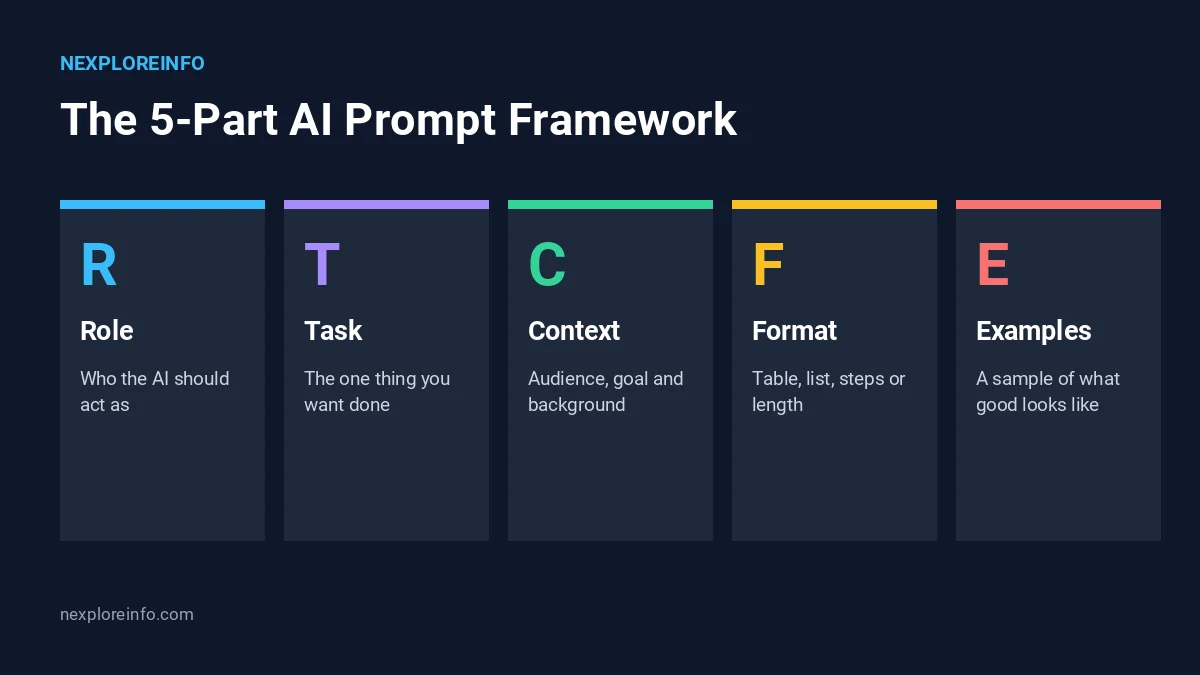
The 5-Part AI Prompt Framework (Role, Task, Context, Format, Examples)
This framework isn’t something pulled out of thin air. It blends advice from the companies that build these tools. Google’s prompting guide for Gemini in Workspace, as summarized by 9to5Google, lists four elements: persona, task, context and format. Anthropic’s documentation adds a fifth idea for Claude, which is to show worked examples. Put them together and you get five parts you can reuse anywhere.
| Part | What it does | Example |
|---|---|---|
| Role | Sets the point of view and level of expertise | “Act as a friendly personal trainer.” |
| Task | States the one thing you want done | “Create a 4-week beginner workout plan.” |
| Context | Gives audience, goal and background | “I am 35, work at a desk and have 30 minutes a day.” |
| Format | Controls the shape and length of the answer | “Use a table with one row per week.” |
| Examples | Shows what a good answer looks like | “Here is a sample row: Week 1, 3 walks, 2 stretching days.” |
1. Role: tell the AI who it is
Start by giving the AI a job. It sharpens the tone and the depth of the answer right away. Anthropic’s documentation says that setting a role in the system prompt focuses Claude’s behavior and tone, and that even one sentence helps. In a normal chat, just open with “Act as a…” and name the job. Editor, tutor, recruiter and travel planner all work well.
2. Task: ask for one clear thing
Pick an action verb and name the output. Write, summarize, compare, plan, rewrite. Google’s guidance suggests splitting related jobs into separate prompts, and that’s good advice. Ask for the outline first. Then ask for the full draft. Cramming both into one message usually gives you a messy middle.
3. Context: give the background the AI can’t guess
This is where most weak prompts fall apart. Tell the AI who the answer is for, what you’re trying to achieve and what you already know. Anthropic’s guidance has a neat test for it: imagine handing your prompt to a colleague who knows nothing about the topic. If they’d be confused, the AI will be too.
4. Format: decide the shape of the answer
Say whether you want a table, a bulleted list, numbered steps, an email or a short paragraph. Add limits too, like a word count or a number of options. Constraints are one of the six tips in Google’s guide. OpenAI’s help center also suggests asking for a specific tone, with words such as formal, friendly, professional or humorous.
5. Examples: show, don’t only tell
Anthropic’s documentation calls examples one of the most reliable ways to steer format, tone and structure, and recommends 3 to 5 of them for best results. For everyday chats, one good sample is often plenty. Paste a short piece in the style you like and add, “Match this style.”
Weak Prompt vs Strong Prompt: Real Examples
Here’s the same request written two ways. The first one leaves everything to chance. The second uses the framework.
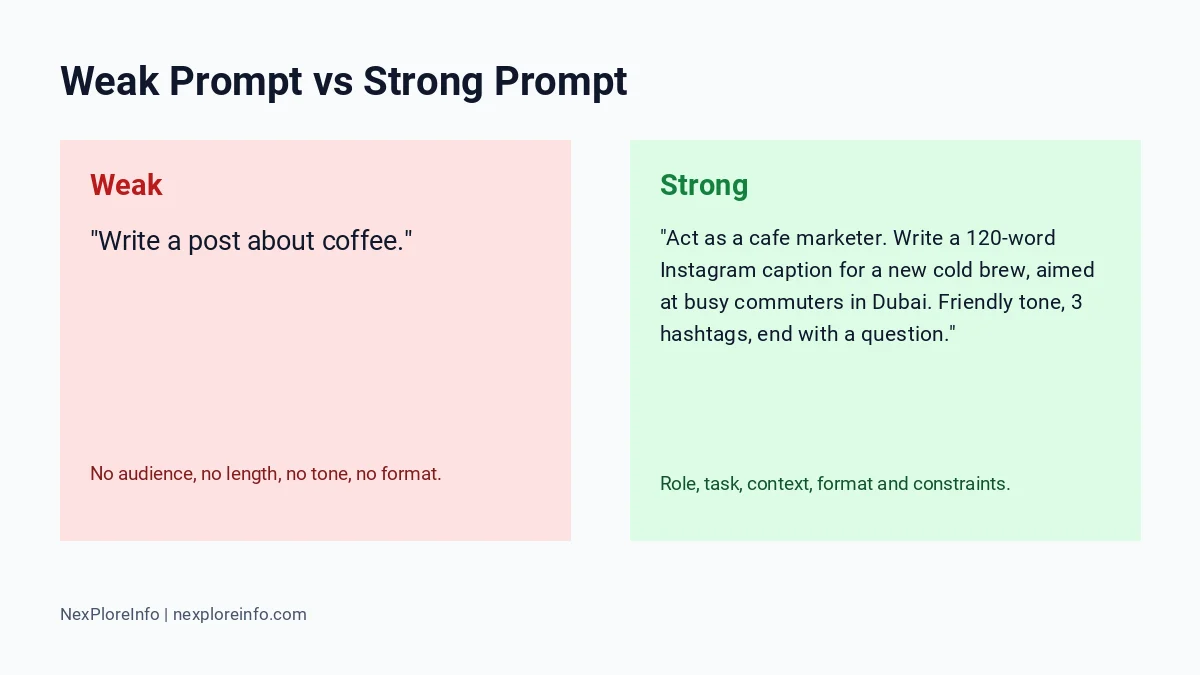
Weak prompt: “Write a post about coffee.”
Strong prompt: “Act as a cafe marketer. Write a 120-word Instagram caption for a new cold brew, aimed at busy commuters in Dubai. Use a friendly tone, include three hashtags and end with a question to start comments.”
Look at what the second version covers. Who’s writing, what they’re writing, who’ll read it, how long it should run and how it should end. Nothing important is left for the AI to guess.
Copy-Ready Prompt Templates You Can Use Today
Swap the bracketed words for your own details. These are original templates, so change them however you like.
Prompt template for writing and editing
Purpose: turn messy notes into a clear message.
Prompt: “Act as a professional editor. Rewrite the notes below as a [email / blog intro / LinkedIn post] for [audience]. Keep it under [number] words, use a [friendly / formal] tone and remove repeated ideas. Notes: [paste notes].”
How to customize it: paste one paragraph you wrote yourself and add, “Match this voice.”
Prompt template for learning a topic
Purpose: get up to speed on something new, fast.
Prompt: “Act as a patient tutor. Explain [topic] to a complete beginner in 5 short steps. Use one everyday analogy, then give me 3 quiz questions with answers at the end.”
How to customize it: tell it your level, like “I know basic algebra but not calculus.” Want more study ideas? Take a look at our list of AI tools for students and teachers.
Prompt template for planning and decisions
Purpose: compare two options and pick one.
Prompt: “Act as a practical advisor. Compare [option A] and [option B] for [my situation and budget]. Put the answer in a table with cost, pros, cons and best-for columns, then give a one-paragraph recommendation. Ask me any questions you need answered first.”
How to customize it: that last sentence borrows another tip from Google’s guide, which is to let the AI ask you questions before it answers. It’s a small change that often makes the result better.
Prompt template for images and video
Visual tools need different details, like subject, style, lighting and camera movement, so they get their own guides. Start with how to write AI video prompts, and if you’re still choosing a tool, our comparison of the best AI image generators will help.
How to Write Prompts for ChatGPT, Claude and Gemini
The framework works everywhere, but each assistant has its own small quirks.
- ChatGPT: OpenAI describes prompt writing as a loop. Draft something, check the answer, then adjust the wording, add context or simplify. Brand new to the tool? Start with our explainer on what ChatGPT is.
- Claude: Anthropic’s documentation recommends structuring long prompts with tags such as <instructions>, <context> and <input>, so your instructions don’t get mixed up with pasted material. Our Claude AI explained guide covers the basics of the assistant itself.
- Gemini: Google’s guidance leans on persona, task, context and format, and suggests rewording and refining your prompt when the results fall short.
Plans, limits and model names change often. Before you count on a specific feature, check each company’s official help pages for the current details.
Prompting Tips for Better Results
- Follow up instead of starting over. Reply with “Make it shorter,” “Use simpler words” or “Add a real-world example.” It’s faster than rewriting the whole prompt.
- Ask for the thinking. Phrases like “explain your reasoning” or “list your assumptions” make mistakes much easier to spot.
- Give a target length. “Under 150 words” beats “short” every time.
- Paste the source material. If you want a summary of a document, paste the text. Don’t just describe it.
- Keep a prompt notebook. When a prompt works, save it. You’ll reuse your best ones every week.
Related AI Tools: Writing, SEO and AI Detection
AI for writing: Clear prompts help artificial intelligence tools draft, edit and structure content. ChatGPT can also help brainstorm article outlines and SEO titles, but ChatGPT SEO tools do not replace verified keyword and ranking data.
AI detection: An AI writing tester, ChatGPT detector, ZeroGPT or another AI detection tool attempts to identify machine-generated text. An artificial intelligence essay checker may flag text incorrectly; AI checking does not reliably prove authorship or factual accuracy. Learn more in our AI detectors guide.
Creative prompts: A prompt generator for art can provide a useful starting point, but adjust the subject, composition and visual style to suit your goals.
Common Prompt Mistakes (and How to Fix Them)
- Being too vague: “Help me with marketing” gets you a generic answer. Name the product, the audience and the channel instead.
- Asking for five things at once: split the job into separate prompts and tackle them one by one.
- Skipping the audience: an explanation for a ten-year-old and one for an engineer look nothing alike, so say which one you need.
- Trusting every fact: AI can state wrong information with total confidence. Read our guide on AI hallucinations, and always double-check names, numbers and dates before you publish or act on anything.
- Sharing private data: never paste passwords, ID numbers or confidential company files into a consumer chatbot.
Shopify Flow AI Assistant Prompt Guide: A Workflow Example
For Shopify Flow automation prompts, explain the trigger, conditions and intended actions. Example: When a paid order is created, if its total is above $200, tag it high-value and notify the store manager. Show me the workflow to review before enabling it. Check available triggers and permissions in your store first. Read Shopify’s Sidekick documentation.
Prompts for AI Agents and Automations
When an AI starts doing things for you, like browsing the web or filling in forms, the same rules apply. Clear limits matter even more here. Spell out what the agent can do, what it must never do and when it should stop and ask you first. If the idea is new to you, our explainer on what an AI agent is walks through the risks in plain language.
FAQs About Writing AI Prompts
How do I write a good prompt for AI?
Start with a role, state one clear task, add context about your audience and goal, pick a format and include an example if you have one. Then keep improving the answer with follow-up messages.
What are the 5 elements of a good prompt?
This guide uses role, task, context, format and examples. Google’s guide names persona, task, context and format as its four core elements, and Anthropic recommends examples as a reliable way to shape the output.
What is a prompt in AI?
It’s the text you give an AI tool to tell it what to do. Sometimes that includes files or images too.
How long should an AI prompt be?
Long enough to cover your audience, your goal and the format you want. A few sentences is normal for everyday tasks. Longer prompts are fine, as long as every line adds something useful and you’re not repeating yourself.
Do I need prompt engineering skills to use ChatGPT?
No. You don’t need any technical background. Being specific and refining the answer step by step is enough for most everyday jobs.
Is a prompt that works in ChatGPT also good for Claude or Gemini?
Usually, yes. Clear instructions, good context and a format request work across assistants. Small differences, like Claude’s liking for tagged sections in long prompts, are nice extras and not requirements.
Final Thoughts
Better prompts come from a habit, not a secret trick. Next time you open a chatbot, spend an extra thirty seconds on role, task, context, format and an example. Then refine. You’ll get stronger answers, waste fewer messages and pick up a feel for how each assistant responds. Want more practical guides like this one? Browse the AI category on NexPloreInfo.











Leave a Comment