
Every AI chatbot has a limit on how much it can read at once, and that limit is called the context window in AI. If you have ever pasted a long document into a chatbot and watched it forget the first pages, or wondered why a long chat suddenly goes off track, the context window is the reason.
This guide is for beginners who use ChatGPT, Claude, Gemini or similar tools. You will learn what tokens are, how a context window works, what the real limits look like, and seven practical habits that keep your chats accurate.
Quick Answer: What Is a Context Window in AI?
A context window is the total amount of information an AI model can work with in a single request, measured in tokens. Depending on the model, that context can include text, images, documents, tool results and other inputs, plus the tokens used to generate the response. Think of it as the model’s active working space rather than long-term memory.
A larger window means the model can handle longer documents and longer conversations in a single go. It does not mean the model understands everything in that window equally well, which is covered below.
What Are Tokens in AI?
AI models do not read words the way you do. They read tokens. According to the OpenAI Help Center, tokens are the units that OpenAI models use to process text, and a token can be a single character, part of a word, a whole word or a punctuation mark.
OpenAI gives these rough rules of thumb for English text:
- 1 token is about 4 characters.
- 1 token is about three-quarters of a word.
- 100 tokens are about 75 words.
Google’s Gemini API documentation agrees on the basics: roughly 4 characters per token, with 100 tokens covering about 60 to 80 English words. These are estimates. Other languages, code and unusual formatting split into tokens differently, so a page of Arabic or a block of code can cost more tokens than a page of plain English.
Tokens are not only for text. Google’s documentation says images up to 384 pixels in both dimensions cost 258 tokens, and audio costs 32 tokens per second. So a file you upload also eats into the window.
How a Context Window Works
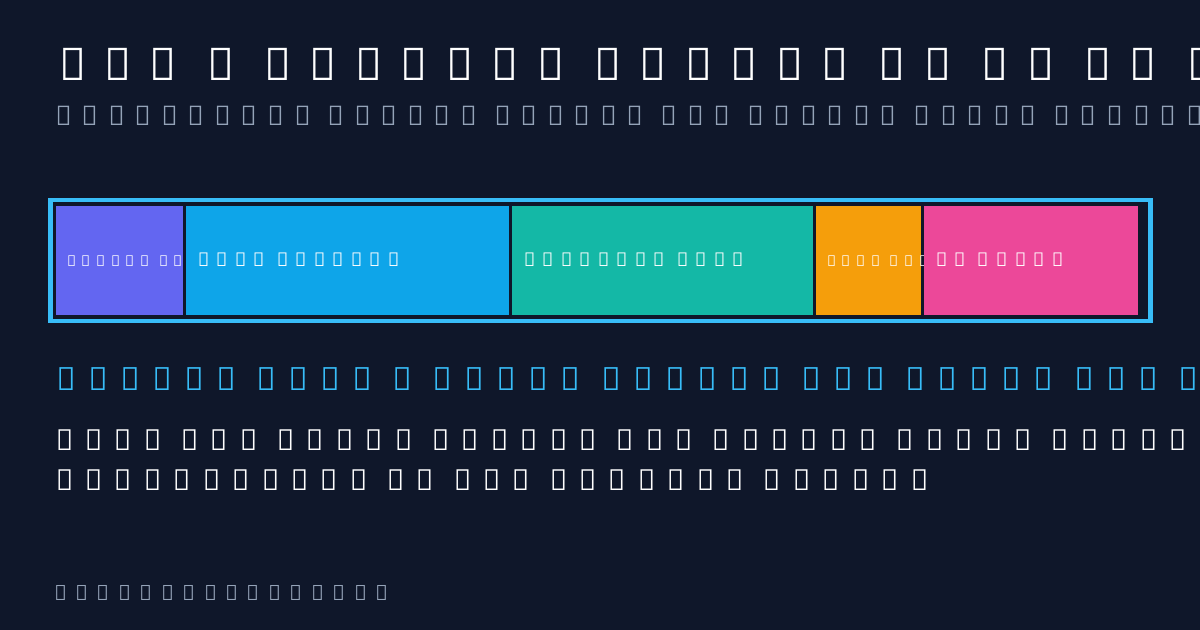
Think of the context window as a desk. Everything the model needs for the current answer has to fit on the desk: the hidden instructions from the app (the system prompt), your earlier messages, any files you uploaded, your new question, and the space the model needs to write its reply.
Anthropic’s context window documentation confirms that everything in a request counts toward the limit, including the system prompt, every message, tool results, images, documents and the output the model generates.
When the total goes over the limit, one of three things happens, depending on the app:
- Older content may be removed from active context. Some chat products trim earlier turns when a conversation becomes too large.
- Older content may be summarized or compacted. Some products compress earlier turns so the conversation can continue while using fewer tokens.
- The request fails. Through the API, Anthropic returns a “prompt is too long” error when the input alone exceeds the window.
Why Does AI Forget What You Said Earlier in a Chat?
This is one of the most common beginner questions, and the answer is simple: the model can only work with what is currently inside the window. A reference explainer from GeeksforGeeks notes that once input exceeds the context window, text must be truncated or split, so earlier content can drop out.
In practice this can look like a chatbot ignoring a rule you set early in a long chat or repeating a question you already answered. The earlier information may have been removed or summarized, or the model may simply be retrieving it less reliably as the active context becomes crowded.
This is different from persistent memory features. A context window is the active token budget for the current request, while a product’s memory system can store or retrieve selected information across conversations and then place relevant information back into a later request. If you want to understand another common AI failure, read our guide on what AI hallucinations are and how to spot them.
Context Window Sizes: Real Numbers From Official Docs
Window sizes are measured in tokens and differ by model. These figures come from official documentation and were checked in October 2026.
| Provider | What the official docs state | Source |
|---|---|---|
| Anthropic (Claude) | Current models including Claude Fable 5.1, Opus 5.5, Sonnet 5.5 and Haiku 5.5 use a 1M-token context window with up to 128k output tokens per request. Older models can use smaller windows. | Anthropic docs |
| Google (Gemini) | Many Gemini models offer 1 million or more tokens. Google says earlier models handled about 8,000 tokens, and newer ones 32,000 or 128,000. | Google AI docs |
| OpenAI (ChatGPT) | Limits depend on the model and product mode. OpenAI’s February 2026 ChatGPT release notes state that manually selected Thinking has a 256k-token total window: 128k input plus up to 128k output. API model limits vary, so check the model documentation. | OpenAI Help Center |
Window sizes checked: October 2026. These are API model limits. The app you use may apply its own limits, so confirm in the product’s help center.
How Many Words Is 1 Million Tokens?
Using OpenAI’s rule of 100 tokens to about 75 words, 1 million tokens works out to roughly 750,000 words. Google gives its own comparison: 1 million tokens is about 50,000 lines of code at 80 characters per line, around 8 average-length English novels, or transcripts of more than 200 average-length podcast episodes.
Does a Bigger Context Window Mean Better Answers?
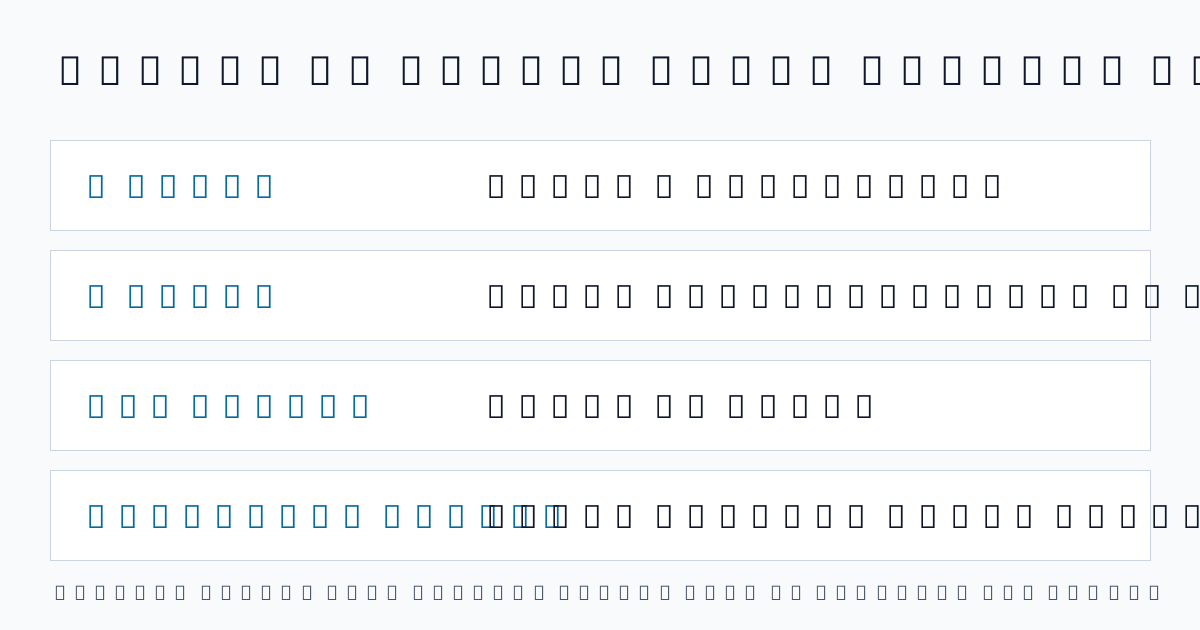
Not automatically. Anthropic’s engineering team describes a problem called context rot: as the number of tokens in the window grows, the model’s ability to recall information accurately from that context declines. In its article on effective context engineering, Anthropic says this happens across all models, though some degrade more gently than others, and that performance drops gradually rather than falling off a cliff.
The practical lesson is that a huge window is a ceiling, not a guarantee. A focused prompt with only the relevant pages often beats a giant dump of everything you own.
7 Tips to Get Better Results From Any Context Window
- Start a new chat for a new topic. Old, unrelated messages still take up space and add noise.
- Put the key instruction last as well as first. Repeat important rules in a long prompt so they stay fresh.
- Upload only the pages you need. A 20-page extract works better than a 400-page file when you only need one chapter.
- Leave room for the answer. Input and output share the window, so a very long reply needs free space.
- Summarize long chats yourself. Ask the model for a short recap, then paste it into a fresh chat to carry the important points forward.
- Be specific. Short, high-signal prompts waste fewer tokens. Anthropic advises aiming for the smallest possible set of high-signal tokens that makes the result likely.
- Use a research tool for big source sets. A tool built around your own documents, such as the one in our NotebookLM guide, is often better than pasting everything into one chat.
Common Misconceptions About Context Windows
- “A bigger window means the AI learns from my chat.” No. The window is temporary working space. It does not retrain the model.
- “The window only counts what I type.” No. System instructions, uploaded files, tool results and the AI’s own reply all count.
- “One token equals one word.” No. A token is often smaller than a word, so word counts always run lower than token counts.
- “All models have the same limit.” No. Limits vary by model, provider and even by the app or plan you use.
Why the Context Window Matters for Everyday Uses
For students, it decides whether a whole textbook chapter fits in one question, which ties into our list of AI tools for students and teachers. For developers, it decides how much of a codebase an assistant can see, a key point when comparing the best AI coding tools. For anyone building automations, it limits how long an assistant can work before it loses track of earlier steps, which is why we explain it in our guide to what an AI agent is. The same ideas apply whether you read this in the USA or the UAE, because the limits come from the model, not your location.
Related Terms
- Token: the small unit of text a model reads and writes.
- Prompt: the instruction and context you send to the model.
- Context rot: the drop in recall accuracy as the window fills up.
- Compaction: summarizing earlier parts of a conversation so it can continue past the limit. Anthropic describes server-side compaction as a primary strategy for long-running conversations.
- Max output tokens: the cap on how long a single reply can be.
FAQs
What is a context window in simple terms?
It is the amount of text an AI can look at in one go, counting your prompt, the chat so far, any files and its own reply. Think of it as the model’s working memory.
What happens when a context window is full?
It depends on the app. Chat tools usually drop or summarize the oldest messages. Through an API, a request that is too long returns an error.
Is a context window the same as AI memory?
No. The context window is the active token budget used for a request. A memory feature can preserve or retrieve information across conversations and then supply relevant details back to the model later. They are related, but they are not the same system.
How many words is 1 million tokens?
By OpenAI’s rule of thumb, about 750,000 English words. Google compares it to roughly 8 average-length novels. Exact counts vary by language and model.
Why does AI forget what I said earlier?
Because older messages can fall outside the window or be summarized, and recall also gets weaker as the window fills. Repeat key instructions or start a fresh chat with a short recap.
Do bigger context windows cost more?
Pricing is set per model. Anthropic states that for its 1M-window models, long-context requests are billed at standard pricing, with the exception of Claude Haiku 5.5, where prompts over 100,000 tokens cost more. Always check the current pricing page for the model you use.
How can I check how many tokens my text uses?
Use the provider’s token counter. OpenAI links to its tokenizer tool in the Help Center, and Anthropic offers a token counting API for developers.
Understanding the context window in AI will not make a chatbot smarter, but it will make you a better user. Keep prompts focused, start fresh chats for new topics, and treat the window as a limited desk, not an endless memory. For more beginner-friendly explainers, browse the AI section at NexPloreInfo.












Leave a Comment