

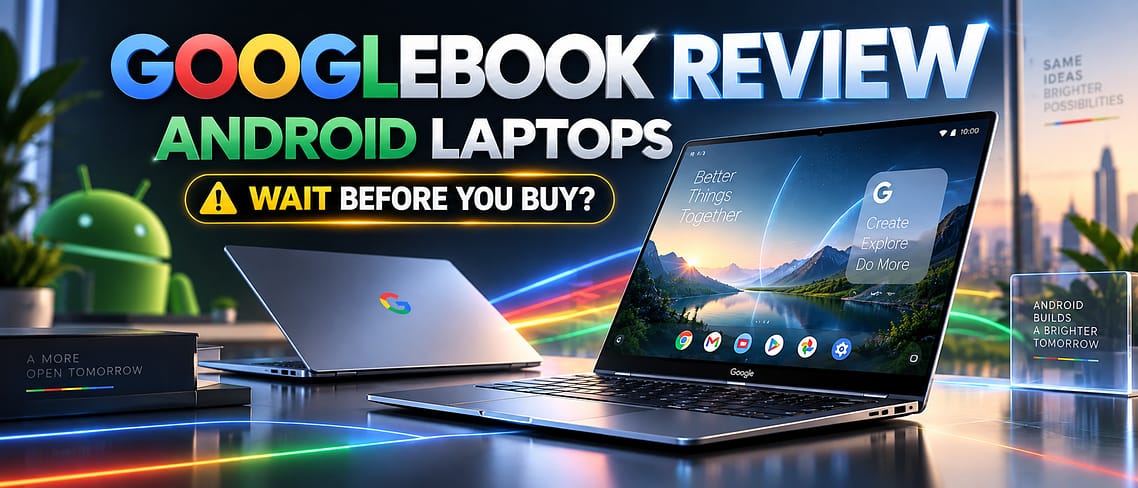
Google spent years hinting that Android and ChromeOS would eventually merge into one operating system. On September 21, 2026, that merger arrived with a name: Googlebook. Five laptops, built with Acer, Dell, ASUS, HP, and Lenovo, launched together running a brand-new platform called GooglebookOS, a blend of Android’s app ecosystem and ChromeOS’s desktop tools, wrapped in Gemini AI features and tied directly to your Android phone.
Prices start at $899 and climb to $1,299, putting Googlebook right in MacBook Air and premium Chromebook territory. The laptops ship October 4 in the US, a day later elsewhere. Early hands-on sessions from several tech outlets were largely positive, but no one, including NexPloreInfo, has spent real time living with a Googlebook yet. Here is what the launch actually offers, what early testers noticed, and who should consider pre-ordering versus waiting for full reviews.
Review Summary
| Product | Googlebook (Acer Googlebook 14, Dell XPS Googlebook, ASUS Googlebook 14, HP Googlebook 14, Lenovo Googlebook 15) |
| Category | Laptop / Operating system |
| Starting Price | $899 (Acer Googlebook 14); from £999 in the UK |
| Availability | Pre-orders open now; ships October 4, 2026 (US), October 5 (UK, Ireland, France, Germany, Australia) |
| Best For | Android phone owners who want deeper phone-to-laptop integration |
| Main Strength | Real Android integration plus a 10-year update promise |
| Main Weakness | Premium pricing for a first-generation, unproven OS with no independent long-term reviews yet |
| Review Type | Hands-On Analysis |
| Last Verified | September 22, 2026 |
Pros and Cons
Pros
- Real phone-to-laptop integration. Settings, saved passwords, Wi-Fi networks, and messages carry over automatically when you sign in, and early hands-on testers confirmed this worked during launch demos.
- Every launch model ships with at least 16GB of RAM, a touchscreen, and a high-resolution or OLED display, well above what most budget Chromebooks offer.
- Google is promising 10 years of automatic updates with quarterly feature drops, matching its Pixel phone policy and beating most Windows and Chromebook update timelines.
- Full Google Play Store access plus a built-in Linux terminal means these laptops can run Android apps and real developer tools, something standard Chromebooks can’t fully match.
- Five hardware partners and price points give buyers real choice, from the $899 Acer convertible to the larger 15-inch Lenovo model.
Cons
- Starting prices of $899 to $1,299 are not cheap, and early hands-on reports warned that RAM and storage shortages could push prices higher before launch.
- No independent, full-length review or benchmark testing exists yet. Every performance and battery claim so far comes from Google or from short hands-on demos.
- Early testers found real differences between models, including the HP’s heavier build and shorter battery estimate, and the Acer’s missing haptic trackpad despite its OLED display.
- It’s a brand-new operating system, so app support, bugs, and long-term reliability remain unknown until it has been in regular use for months.
Price and Availability
Googlebook pricing starts at $899 for the Acer Googlebook 14, the cheapest model and the only convertible in the launch lineup. The Dell XPS Googlebook follows at $1,199, while the ASUS Googlebook 14, HP Googlebook 14, and Lenovo Googlebook 15 all start at $1,299, according to Google’s official announcement as reported by 9to5Google and Android Authority.
In the UK, Google’s own online store lists Googlebook laptops starting at £999. Official pricing for other regions, including the UAE, Saudi Arabia, Pakistan, and India, had not been confirmed as of this writing.
Pre-orders are open now through the Google Store, Best Buy, and select retailers. The laptops ship in the US on October 4, 2026, followed by the UK, Ireland, France, Germany, and Australia on October 5.
Price checked: September 22, 2026
Googlebook Specs: Five Models Compared
| Model | Starting Price | Display | Processor | RAM | Weight |
|---|---|---|---|---|---|
| Acer Googlebook 14 | $899 | 14″ 2.8K OLED, 500 nits, convertible | Intel Core Ultra 5/7 (Series 3) | 16GB | 2.5 lbs |
| Dell XPS Googlebook | $1,199 | 13.4″ 2.5K touch, 500 nits | Snapdragon X Elite | 16-32GB | 2.2 lbs |
| ASUS Googlebook 14 | $1,299 | 14″ 2.8K OLED, 500 nits | Intel Core Ultra 5/7 (Panther Lake) | 16-32GB | 2.2 lbs |
| HP Googlebook 14 | $1,299 | 14″ 2.8K OLED, 500 nits | Snapdragon X Elite | 16-32GB | 2.74 lbs |
| Lenovo Googlebook 15 | $1,299 | 15.3″ 2.8K OLED, Dolby Atmos | Intel Core Ultra 5 (Series 3) | 16GB | 2.84 lbs |
Every model includes at least 256GB of storage, a touchscreen, a backlit keyboard, a fingerprint sensor (HP and Lenovo add face authentication), the signature Glowbar light strip on the lid, an NPU rated above 45 TOPS, and a Google Titan security chip. Specifications are per Google’s official announcement, as reported by 9to5Google and Android Authority.
Design and Build Quality
The five launch models take different approaches to the same idea. The Acer Googlebook 14 is the only convertible in the lineup and supports a stylus, but PCWorld’s hands-on noted it skips a haptic trackpad despite its premium OLED screen. The Dell XPS Googlebook carries over the familiar XPS design language. PCWorld’s reviewer said that “if I hadn’t known the context, I would have assumed it was a standard XPS 13.”
The ASUS Googlebook 14 is the lightest of the five at 2.2 lbs, built from aluminum and magnesium with a haptic touchpad. The HP Googlebook 14 is the heaviest at 2.74 lbs, an all-aluminum design with both fingerprint and face authentication. The Lenovo Googlebook 15 is the largest, using a magnesium-alloy and carbon-fiber build with Dolby Atmos speakers aimed at media and productivity use.
GooglebookOS: What It’s Like to Use
GooglebookOS combines ChromeOS’s multi-window desktop tools with a native Android software stack, wrapped in Google’s Material 3 Expressive design language. Quick Settings and notifications sit in the top-right corner, echoing Pixel phones, with a centered dock and the clock on the left. Android Authority’s hands-on team summed up the feel as “like navigating an oversized Pixel phone in the best possible way.”
Signing in pulls over your Android phone’s Wi-Fi networks, saved passwords, and messages automatically. A “Continue On” feature (part of Android 17) lets you pick up a task on the laptop that you started on your phone, and “Cast My Apps” streams phone apps onto the desktop without installing them separately. A first-class Files app gives direct access to photos and documents stored on your phone.
The browser is a full desktop version of Chrome with extension support and vertical tabs. The Play Store highlights apps optimized for larger screens with new badges, and Google says around 20,000 mobile and PC games are supported with keyboard, mouse, and touchscreen controls. For developers, a Linux terminal with full command-line access runs inside a Level 5 security-certified, pKVM-isolated environment, and Google says it supports tools including its own Antigravity development environment and Claude Code.
Key AI Features
- Magic Pointer: a cursor-wiggle gesture that summons Gemini to read and act on whatever is on screen, whether that’s text, an image, or a screenshot. Sensitivity is adjustable, and a keyboard shortcut is available for anyone who doesn’t want a gesture trigger.
- Rambler: a dictation tool that turns unstructured, stream-of-consciousness speech into organized, formatted notes.
- Create My Widget: describe a widget you want in plain language, and GooglebookOS builds it for your desktop.
- On-device file descriptions: the system automatically generates searchable descriptions of documents and photos. Google says this processing happens on-device rather than through constant screen monitoring.
Performance and Battery Life
Because Googlebook laptops haven’t shipped yet, there is no independent benchmark or battery-rundown data to report. Google’s official battery estimates run up to 14 hours of video playback or 16 hours of web browsing, but those are manufacturer claims, not measured results.
Early hands-on notes add some nuance. Android Authority and PCWorld both found battery life estimates varied more by model than by screen size, with the larger 15-inch Lenovo not necessarily lasting longer than the smaller Acer or ASUS models, and the HP’s 15-hour estimate looking unimpressive next to its heavier 2.74-lb build. The chips themselves (Intel Core Ultra Series 3 and Panther Lake, plus Qualcomm’s Snapdragon X Elite) are already used in existing Windows Copilot+ laptops and are known for solid efficiency, but how they perform specifically inside GooglebookOS is untested outside these short demo sessions. Readers should treat every performance and battery figure here as preliminary until independent reviewers publish full benchmarks after the October 4 ship date.
Real-World Use: What Early Hands-On Reviewers Are Saying
Android Authority spent about two hours with all five models and came away with mostly positive impressions: the Android integration worked as promised, the Magic Pointer gesture was easy to adjust, and the 10-year update promise stood out as unusually generous for a laptop.
PCWorld’s hands-on reviewer, who also tried all five machines, was more cautious about buying immediately, writing that shoppers should “hesitate against pre-orders until those reviews come out.” That reviewer flagged the HP’s weight and battery estimate as a weak point relative to its price, and warned that component shortages could push prices even higher after launch.
TechRadar’s early analysis framed Googlebook less as a Chromebook replacement and more as a direct challenge to the MacBook Air, arguing the new laptops are aimed at buyers who want an alternative to both traditional Windows machines and Apple’s ecosystem. That positioning lines up with the pricing: Googlebook starts close to where the MacBook Air starts, not where budget Chromebooks sit.
Googlebook vs the Competition
| Googlebook (from $899) | MacBook Air M4 (from $999) | Chromebook Plus (from roughly $399-$600) | Windows Copilot+ PC (from roughly $999) | |
|---|---|---|---|---|
| Operating system | GooglebookOS (Android + ChromeOS hybrid) | macOS | ChromeOS | Windows 11 |
| Minimum RAM | 16GB | 16GB (M4 models) | Typically 8GB | Typically 16GB |
| Standout feature | Deep Android phone integration, Gemini AI built into the OS | Apple ecosystem integration, strong battery record | Simplicity and low price | Broadest desktop software compatibility |
| Promised update support | 10 years, quarterly feature drops | Historically 7+ years of macOS updates | Varies; some Chromebook Plus models get 10 years | Varies by manufacturer |
Pricing for the MacBook Air reflects Apple’s official starting price for its base M4 configuration. Chromebook Plus pricing reflects the typical range for Google’s Chromebook Plus program. Windows Copilot+ PC pricing reflects typical starting prices for that class of laptop from major manufacturers. Compare these figures against current listings before buying, since laptop pricing shifts often.
Who Should Consider the Googlebook?
Googlebook makes the most sense for Android phone owners who want their phone and laptop to feel like one connected system rather than two separate devices. If features like automatic Wi-Fi and password syncing, phone file access, and app casting sound useful day to day, this is the first laptop built specifically around that idea.
It’s also worth a look for anyone who wants a Chrome-based laptop but also needs real Android apps or a Linux terminal for light development work, and for buyers drawn to Google’s unusually long 10-year update commitment. If you’re curious how Googlebook fits alongside current Android phones, our Samsung Galaxy Z Fold 8 review and our roundup of the latest phones, smartwatches, and laptops are good next reads.
Who Should Skip It?
Anyone who depends on specific Windows-only or macOS-only software for work should skip Googlebook for now, since GooglebookOS runs neither natively. If Windows compatibility matters to you, our Windows 11 26H2 guide covers what’s changed on the platform Googlebook doesn’t run. Buyers on a tighter budget are better served by a standard Chromebook Plus, which can cost hundreds less if you don’t need Android app support.
iPhone owners should also think twice, since Googlebook’s biggest advantages depend on owning an Android phone to pair with it. And cautious shoppers in general may want to wait, since no independent, full-length review exists yet.
Alternatives to Consider
MacBook Air (M4), starting around $999. Apple’s closest premium competitor offers a more mature ecosystem and a strong battery-life track record, but it has no Android phone integration and starts more expensive for comparable storage.
MacBook Neo, starting around $599, per NexPloreInfo’s MacBook Neo review. Apple’s own entry-level pick for first-time buyers switching from a Chromebook or budget Windows laptop. It’s considerably cheaper than any Googlebook model, though it has had its own pricing confusion this year following a memory shortage, and it offers none of Googlebook’s Android integration.
Chromebook Plus lineup, starting around $399-$600. The simpler, cheaper route if you mainly need a browser-first laptop and don’t need native Android apps or Gemini’s deeper AI features.
Windows Copilot+ PC (for example, a Surface Laptop), starting around $999. The best option for anyone who needs broad desktop software compatibility that neither ChromeOS nor GooglebookOS fully supports yet.
Final Assessment
Googlebook gets the core idea right. Real phone-to-laptop integration, backed by actual hardware from five manufacturers and a genuinely long 10-year update promise, isn’t something any other laptop platform offers today. Early hands-on impressions from independent outlets were largely positive about how the software feels to use.
The compromise is price and timing. At $899 to $1,299, Googlebook sits in premium territory for a first-generation operating system with zero independent long-term reviews so far, and early testers already spotted real differences in battery life and build quality between models. Buyers who mainly want an Android-connected laptop and are comfortable being early adopters have a strong case to pre-order. Everyone else has a reasonable case to wait for full reviews after the October 4 ship date, and to compare pricing against the MacBook Air and Chromebook Plus lineup before deciding.
Googlebook FAQs
Is the Googlebook worth buying?
It’s too early to say for certain, since no independent long-term review exists yet. Early hands-on impressions were positive, and it’s most likely worth it for Android phone owners who want deeper phone-to-laptop integration and are comfortable being early adopters of a new OS.
How much does the Googlebook cost?
Prices start at $899 for the Acer Googlebook 14 and go up to $1,299 for the ASUS, HP, and Lenovo models. UK pricing starts at £999. Other regional pricing has not been officially confirmed yet.
Does the Googlebook run Android apps?
Yes. All Googlebook laptops include full Google Play Store access, with desktop-optimized versions of many popular apps.
Is Googlebook replacing Chromebooks?
No. Google is positioning Googlebook as a new, premium tier above standard Chromebooks, not a direct replacement. Chromebooks and Chromebook Plus models remain available for buyers who want a simpler, cheaper option.
Which Googlebook model should I buy?
It depends on your priorities. The Acer Googlebook 14 is the cheapest and the only convertible. The ASUS Googlebook 14 is the lightest. The Dell XPS Googlebook has the smallest, most portable footprint. The Lenovo Googlebook 15 offers the largest screen and Dolby Atmos speakers for media use.
When does the Googlebook ship?
Googlebook laptops ship in the US on October 4, 2026, followed by the UK, Ireland, France, Germany, and Australia on October 5, 2026. Pre-orders are open now.


Leave a Comment